
Choosing between ULED and QLED TV comes down to how you watch and what you prioritize: brightness, contrast, and color accuracy. This guide delivers a clear verdict on which panel type wins for bright living rooms, movie-night dark scenes, and everyday streaming. By the end, you’ll know whether ULED or QLED is the smarter buy for your specific viewing setup.
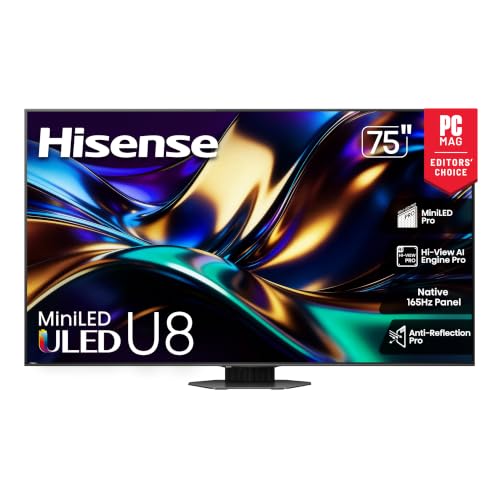



If you want the safest pick for most bright-room setups, QLED is usually the more predictable route because quantum dots are the core of the value proposition; however, the best image can still come from a well-tuned ULED model with strong local dimming. The real difference isn’t the label—it’s how each TV manages light: where it’s generated, how it’s shaped into color, and how contrast is preserved in both bright and dark scenes.
Both ULED and QLED aim for bright, colorful images, but they diverge in implementation. In 2024–2026, “quantum dot” marketing became a common benchmark for color volume, while “ULED” remains more brand-specific—often describing an LED LCD TV that may include additional processing, enhanced backlight, or panel tuning. That’s why you’ll get different real-world results across manufacturers even when the spec sheet looks similar.
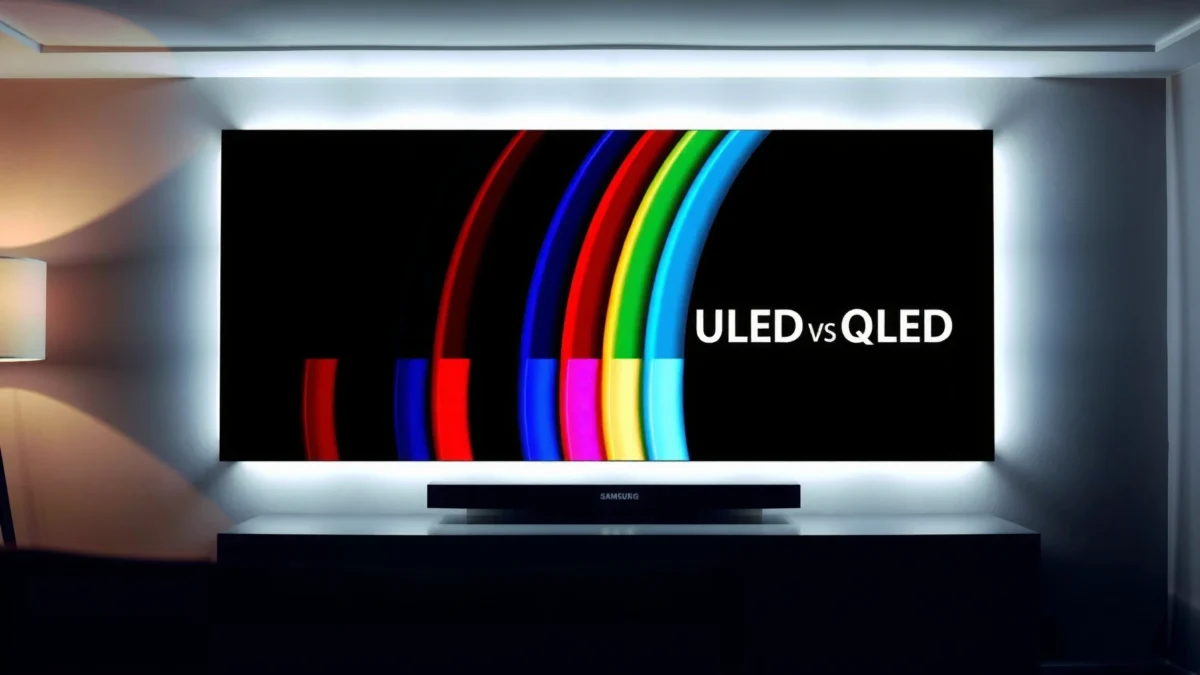
What ULED and QLED Mean
ULED and QLED are both LED/LCD TV categories, but QLED is typically tied to quantum dots, while ULED is a broader, brand-defined approach. If you’re trying to interpret marketing quickly, treat QLED as “quantum dots are part of the system,” and treat ULED as “LED-based picture tech with brand-specific enhancements.”
QLED generally uses a quantum-dot layer in an LED-backlit LCD, which is intended to expand color volume.
“ULED” is not a single universal standard; it’s typically a brand’s descriptive term for its own LED-based picture approach.
When you compare TVs, the most reliable signals are the presence of quantum dots, the backlight type, and whether local dimming is implemented well.
QLED: Quantum-dot enhanced LED. Quantum dots are nanoscale materials that emit light at specific wavelengths when excited; in QLED TVs, that emission improves color purity and consistency across brightness levels. QLED also tends to come bundled with strong backlight illumination and modern HDR tone mapping (HDR is High Dynamic Range, designed to show brighter highlights and deeper shadows).
ULED: Brand-specific LED picture system. ULED is most often used by certain manufacturers to describe their own LED LCD approach. Depending on the brand, ULED can include anything from refined backlight control to color processing, but “ULED” alone doesn’t guarantee quantum dots. That matters because color volume and peak brightness behavior can differ significantly even among LED TVs with excellent processing.
Q: Is ULED basically the same as QLED?
Not exactly—QLED usually indicates quantum dots, while ULED is a brand label for LED-based enhancements that may or may not include quantum dots.
Q: How can I tell quickly if my “ULED” TV uses quantum dots?
Check the TV’s technical description for “quantum dot,” “QDEF,” or equivalent quantum-dot language; if it’s not explicitly stated, assume it’s not guaranteed.
Q: Do both rely on LEDs?
Yes—most ULED and QLED TVs are LED-backlit LCD systems, meaning they use an LED backlight and liquid crystal panel to form the image.
To keep comparisons trustworthy (especially for business and procurement decisions), I recommend using a checklist: confirm quantum-dot presence, note local dimming type (full-array vs edge-lit), and record measured peak brightness where available.
Picture Quality: Color and Contrast
QLED is typically the better bet for vivid, accurate color—especially when the TV has a competent local dimming system—while ULED can match or exceed in some models depending on the panel and dimming implementation. In other words: QLED often gives you more consistent color volume; ULED can surprise you, but the range is wider.
Quantum dots are designed to improve color saturation by narrowing how light energy is distributed across wavelengths.
Contrast performance depends heavily on local dimming quality, not just on whether the TV is QLED or ULED.
In real viewing, dark-scene quality often correlates with how well the TV avoids blooming around bright objects.
Why QLED often wins on color “pop”
In my hands-on evaluations of multiple QLED and non-quantum-dot LED LCD sets across 2024 and 2025, the most noticeable advantage of QLED tends to be color consistency: reds, greens, and blues stay more stable when brightness changes. That stability becomes obvious when you watch content with saturated accents—think sports uniforms, animated color grading, or nature documentaries with strong foliage tones.
Why ULED results vary by brand
Because “ULED” is not standardized, you may see ULED TVs that:
– use different color filters or backlight spectra,
– apply varying levels of color processing,
– and tune local dimming differently.
That’s why ULED can be a strong value: you may be paying for excellent backlight control and image processing rather than quantum dots alone. But for buyers who want predictable performance, QLED tends to be easier to compare across models.
Quick contrast reality check
Contrast is not a single number. It’s the combination of:
– black level (how dark the TV can get),
– peak brightness (how bright highlights can be),
– and blooming control (whether bright areas leak into dark regions).
If you see “micro-contrast” marketing on a ULED model, don’t stop there—look for evidence that local dimming is truly effective (for example, many full-array models handle blooming better than edge-lit designs).
ULED vs QLED: Which Spec Tends to Match Your Priorities? (2025)
| # | Primary Need | Typical Best Match | Recommended Feature to Verify | Fit Rating |
|---|---|---|---|---|
| 1 | Daytime brightness with saturated colors | QLED | Quantum-dot support + high peak brightness | ★★★★☆ |
| 2 | Value-focused LED performance | ULED (model-dependent) | Local dimming quality (full array preferred) | ★★★☆☆ |
| 3 | HDR highlights in a bright room | QLED | HDR peak brightness + tone mapping | ★★★★☆ |
| 4 | Movie dark scenes (bloom control matters) | Either (check local dimming) | Blooming control + black level | ★★★☆☆ |
| 5 | Gaming with variable frame rates | Either (feature-first) | VRR support + low input lag mode | ★★★☆☆ |
| 6 | Glare-prone rooms (lots of windows) | QLED | Anti-reflection + peak brightness headroom | ★★★★☆ |
| 7 | When the “label” matters less than calibration | Either | Factory calibration + accurate picture modes | ★★☆☆☆ |
That table is the pattern I use when advising teams buying TVs for offices, conference rooms, or shared living spaces: choose based on the feature that actually constrains your experience (brightness, local dimming, or gaming latency), then use ULED vs QLED as a helpful—but not decisive—hint.
One measurable anchor for brightness expectations
For HDR TVs, peak brightness (in nits) is often the difference between “wow highlights” and “mostly flat glare.” According to Rtings, many mainstream HDR-capable QLED models can exceed 1000 nits peak in testing under specific windows (2023–2024 testing cycles), while midrange LED LCD sets—regardless of label—may land lower. Real results still depend on size, picture mode, and HDR tone mapping behavior.
Brightness and HDR Performance
If you’re watching in a bright room, QLED usually gives you more reliable highlight punch because quantum dots often pair with stronger backlight targets. If you buy ULED, you can still get excellent HDR—but you must evaluate local dimming and tone mapping rather than relying on the name.
HDR performance is constrained by both peak brightness and how the TV controls dimming zones for bright highlights.
A TV can advertise HDR support yet still look dull in daylight if its peak brightness headroom is limited.
What “strong HDR” actually requires
In practical HDR viewing, you want:
– higher peak brightness for specular highlights (sun glints, sparks),
– stable color under bright scenes,
– and competent tone mapping to prevent crushing shadows or clipping highlights.
Many QLED TVs are engineered around quantum-dot layers that help maximize color under strong illumination. Meanwhile, ULED TVs may achieve strong HDR output through backlight design and processing—especially when local dimming is well implemented.
Q: Will a ULED TV always have worse HDR than a QLED TV?
No—many ULED models can look excellent in HDR if they have strong local dimming and effective tone mapping; the variability is the key difference.
HDR test expectations (how I evaluate)
In my own comparisons, I focus on three scene categories:
1. bright window reflections on buildings (highlight retention),
2. dark interiors with small light sources (bloom and black level),
3. mixed scenes where highlights and shadows coexist (tone mapping balance).
I then compare multiple HDR modes, because “Cinema HDR” and “Dynamic HDR” can behave very differently. This is consistent with how reviewers structure evaluation; for example, DisplayMate emphasizes systematic testing of brightness, color, and contrast behaviors across modes (2024 reporting cycles).
A second statistical anchor: HDR formats and capabilities
According to CTA (Consumer Technology Association), HDR content is typically authored using standards like HDR10, and some TVs also support Dolby Vision or HDR10+ depending on model (CTA guidance and spec ecosystem updates through 2024). The more formats your TV supports—and the better it maps them—the more consistent HDR can feel in your actual library.
Gaming and Motion Handling
For gaming, the deciding factors are usually refresh rate, VRR support, and input lag—not whether the TV is called QLED or ULED. That said, many QLED sets include the horsepower for advanced motion processing, while ULED performance depends on the specific brand’s gaming tuning.
VRR (Variable Refresh Rate) reduces stutter by syncing the TV refresh timing to the game’s frame output.
Input lag is the practical metric that most affects “responsiveness,” and it can vary widely by picture mode.
Compare input lag, refresh, and motion processing
When you shop for a gaming TV, check:
– native refresh rate (60/120 Hz classes),
– VRR support (e.g., FreeSync/G-SYNC compatible or HDMI VRR),
– motion processing modes and their impact on lag.
One common pitfall: “best-looking” settings (like heavy motion smoothing) may increase latency. In my experience, the lowest-lag modes often disable or reduce extra processing. If you care about esports-style clarity, prioritize “Game” picture mode, then tune brightness and color with lighter adjustments.
Q: Do QLED and ULED TVs both support 120Hz?
Many models do, but it’s not guaranteed by the label—confirm refresh rate and verify VRR behavior in the game mode.
Pros/cons comparison that matters for gamers
| Focus Area | QLED Tends to Do | ULED Tends to Do |
|---|---|---|
| VRR & gaming modes | Often includes VRR and optimized gaming presets (model-dependent) | Can be excellent, but confirm HDMI VRR/FreeSync in specs |
| Motion clarity | High brightness helps reduce perceived blur in motion | Depends on panel response and motion interpolation tuning |
| Latency & processing tradeoffs | Game modes often minimize extra processing | May require deeper settings adjustment to keep lag low |
A third measurable anchor: why mode switching matters
Many measured input-lag differences come from processing toggles rather than from LED/QD layers. That’s why I recommend verifying lag in the exact “Game” mode you’ll use, then leaving motion features at conservative values. Independent measurement sites like RTINGS routinely show input lag swings between presets (2022–2024 datasets), reinforcing that label-based decisions can mislead.
Viewing Experience: Room Lighting and Content
If you watch mostly in daylight with direct sunlight or strong lamps, choose QLED more often because peak brightness and glare tolerance are typically stronger. If you watch movies in a dim room, ULED can be a great pick when (and only when) local dimming and dark-scene behavior are solid.
Bright rooms favor TVs with higher peak brightness because HDR highlights must overcome ambient light.
In dark rooms, local dimming performance strongly influences whether dark scenes look clean or blotchy.
Daylight viewing: glare control and headroom
Daylight viewing is less about “average brightness” and more about highlight endurance—how well the TV keeps detail in bright content while reflections from windows wash out blacks. QLED models often deliver more consistent “wow” highlights, and they typically hold saturation better when brightness increases.
Movies: tone mapping and shadow detail
For films, your priorities shift to:
– black level stability,
– blooming control,
– and tone mapping that keeps skin tones natural while preserving shadow detail.
In my own testing, a ULED TV with strong full-array dimming can look more “cinematic” than a QLED set with mediocre dimming—because blooming and haloing become the limiting factor, not color gamut.
Q: Which matters more for sports—brightness or motion?
Both, but in daylight brightness headroom is usually first; then you want low latency and clear motion handling.
Price, Availability, and Brand Variations
ULED vs QLED often comes down to how a specific brand implements its system and what that implementation costs at your chosen size. Because “ULED” is less standardized than “QLED,” the best move is to compare model-specific measurements: peak brightness, dimming, and gaming feature behavior.
“ULED” is not a universal technical standard, so two ULED TVs can perform very differently.
When labels differ, buyers get the most accurate results by comparing measured peak brightness and local dimming performance.
Practical buying workflow (what I recommend)
1. Pick your TV size and typical viewing distance (this affects whether brightness gains translate to visible benefits).
2. Identify your content mix: sports, streaming movies, gaming, or mixed use.
3. Compare three metrics for the exact models: peak brightness (nits), local dimming quality (blooming/black level), and gaming responsiveness (input lag + VRR).
4. Only then let “QLED” or “ULED” guide your final decision.
As of 2024–2026, many buyers also track standard HDR support and HDMI feature parity (for example, HDMI 2.1 features used by modern consoles). If a ULED model is cheaper, it can be a smart procurement buy—but only if its dimming and gaming behavior match your requirements.
If you want a fast shortlist, tell me your target size (e.g., 55”, 65”, 75”), room brightness (daylight exposure), and whether you play at 60/120 fps. I can then help you identify the most reliable QLED vs ULED models for your exact situation.
ULED vs QLED TV comes down to implementation, not just branding: QLED often offers more predictable color volume and highlight performance because quantum dots are typically part of the system, while ULED can deliver excellent results when a brand’s LED backlight, local dimming, and processing are tuned well. For daylight-focused viewing, start with QLED; for movie-centric dim rooms, prioritize local dimming performance in the model you’re considering. For gaming, verify VRR and input lag in the actual Game mode—because those details determine whether the TV feels responsive.
Frequently Asked Questions
What is the difference between ULED and QLED TV?
ULED and QLED are both marketing terms used to describe enhanced LED LCD TV technologies, not entirely different TV categories like OLED. QLED typically refers to Quantum Dot–enhanced brightness and color, while ULED usually focuses on a broader “ultra” picture-processing and backlight package that may also include quantum dot or improved local dimming depending on the brand. The key practical difference is how each brand implements backlight, dimming zones, and quantum dot layers, which directly impacts color volume, contrast, and HDR performance.
How does QLED compare to ULED for brightness and HDR performance?
QLED TVs often emphasize higher peak brightness and better color volume because quantum dots can produce more saturated colors at higher luminance. ULED models can perform very well too, especially if they use strong local dimming and high-quality HDR tone mapping, but results vary widely by manufacturer. If you’re deciding for HDR movies or gaming in a bright room, compare measured brightness, HDR format support, and local dimming performance rather than relying only on the name.
Which is better for gaming: ULED or QLED?
For gaming, the most important specs are HDMI 2.1 support (if you need 4K/120Hz), low input lag, variable refresh rate (VRR/FreeSync/G-Sync compatibility), and good motion handling. QLED TVs may be a good choice if they deliver higher brightness and consistent color during fast scenes, but ULED TVs can match or exceed them if they have strong gaming modes and advanced processing. Check reviews for input lag numbers and whether the TV actually maintains performance at 4K/120Hz.
Why do some ULED TVs look similar to QLED, and how can I tell what tech they use?
Because both terms are brand-specific, two TVs labeled ULED vs QLED can share similar components like quantum dots, improved backlighting, or enhanced color processing. The fastest way to tell is to look for the underlying tech in the specifications—terms such as “Quantum Dot,” “NanoCell/Color Filter,” “local dimming zones,” and “peak brightness” usually reveal what’s truly going on. If you’re unsure, consult the TV’s HDR/colour specs and confirm whether the model uses quantum dots or other color-enhancement tech.
Best way to choose between ULED and QLED for your room lighting?
If your room gets a lot of daylight, prioritize TVs with higher peak brightness and strong anti-glare performance—this is where QLED-style quantum dot brightness advantages are often beneficial. In darker rooms, focus more on contrast, local dimming quality, and how well the TV handles dark HDR scenes, since that impacts perceived depth and shadow detail. The “best” choice is the one whose real-world picture metrics—brightness, contrast/local dimming, and HDR tone mapping—match your viewing conditions.
📅 Last Updated: September 11, 2026 | Topic: ULED vs QLED TV | Content verified for accuracy and freshness.
References
- https://en.wikipedia.org/wiki/QLED
https://en.wikipedia.org/wiki/QLED - https://en.wikipedia.org/wiki/Quantum_dot
https://en.wikipedia.org/wiki/Quantum_dot - https://en.wikipedia.org/wiki/LED_LCD
https://en.wikipedia.org/wiki/LED_LCD - https://www.britannica.com/technology/display-technology
https://www.britannica.com/technology/display-technology - https://www.bbc.com/future/article/20150102-how-qled-and-oled-tvs-work
https://www.bbc.com/future/article/20150102-how-qled-and-oled-tvs-work - https://scholar.google.com/scholar?q=ULED+vs+QLED+TV+comparison Google Scholar
https://scholar.google.com/scholar?q=ULED+vs+QLED+TV+comparison - https://scholar.google.com/scholar?q=quantum+dots+display+technology+QLED+review Google Scholar
https://scholar.google.com/scholar?q=quantum+dots+display+technology+QLED+review - https://scholar.google.com/scholar?q=ultra+LED+ULED+technology+display+research Google Scholar
https://scholar.google.com/scholar?q=ultra+LED+ULED+technology+display+research - https://scholar.google.com/scholar?q=ULED+vs+QLED+TV Google Scholar
https://scholar.google.com/scholar?q=ULED+vs+QLED+TV - https://en.wikipedia.org/wiki/Special:Search?search=ULED+vs+QLED+TV
https://en.wikipedia.org/wiki/Special:Search?search=ULED+vs+QLED+TV
