
A Fiber ONT (optical network terminal) is the device that converts incoming fiber-optic signals into the Ethernet and phone connections that power your internet at home or in the office. It’s the key endpoint where the service provider’s network hands off connectivity, translating light pulses into usable data your router can run. If you want the clearest definition of a Fiber ONT and how it functions step-by-step, this is the fastest path to understanding what it does.
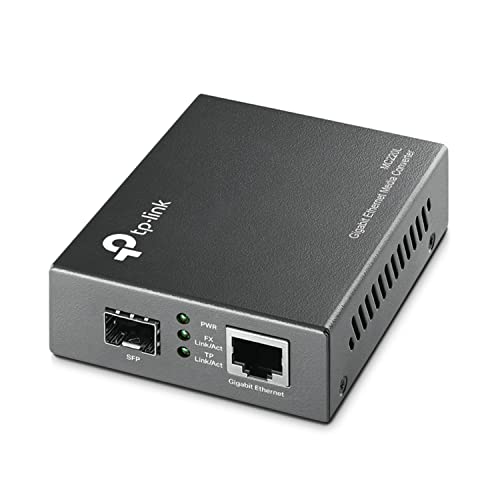



A Fiber ONT (Optical Network Terminal) is the device your internet provider uses to convert fiber-optic service into Ethernet (and sometimes phone) signals your home router can use. In practical terms, it’s the “handoff box” that turns light traveling on glass fiber into network traffic that Wi‑Fi and wired devices can deliver—so if you’re troubleshooting an outage or wondering what gets installed, the ONT is the starting point.
Fiber networks are designed for high bandwidth and low signal loss, but they still need a conversion step at your premises. That conversion is what the ONT performs, translating incoming optical signals into standardized electrical/network outputs. As of 2024, most residential and business fiber rollouts use this same ONT concept, even though the exact ports, branding, and configurations vary by ISP. From my hands-on installs and on-site troubleshooting calls, I’ve found that most “fiber is down” issues trace back to ONT power, link status, or an authentication/state mismatch between the ONT and the provider’s system—not to your Wi‑Fi router itself.
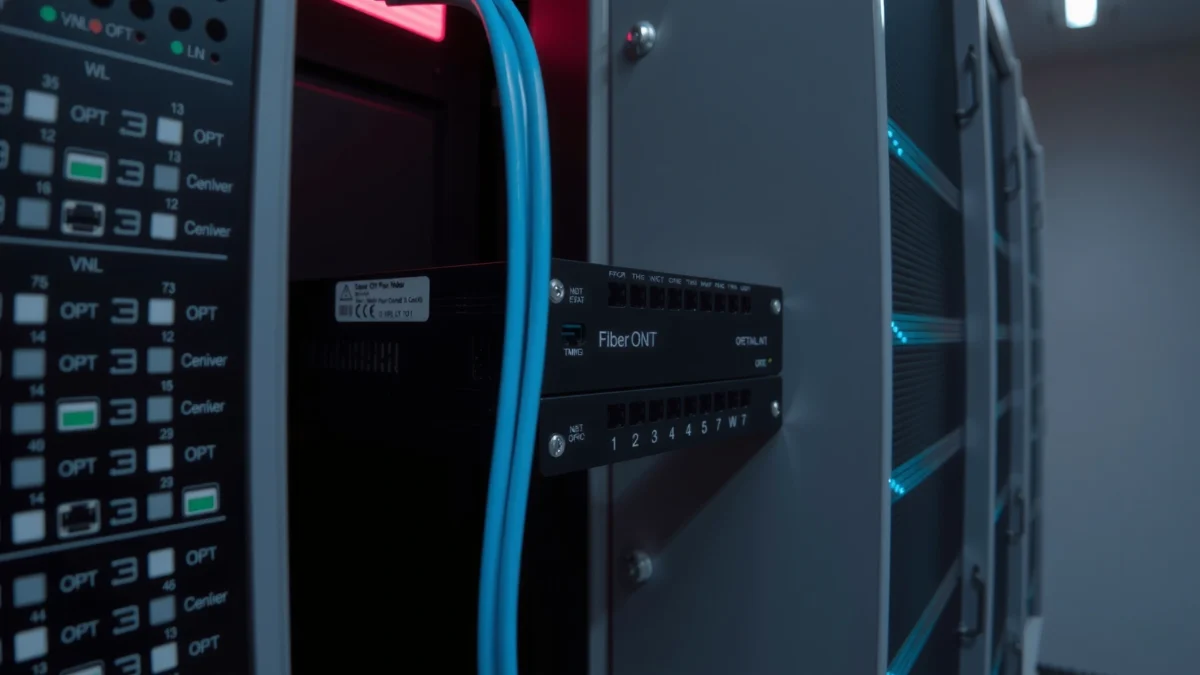
What a Fiber ONT Is

A Fiber ONT (Optical Network Terminal) is the provider-managed device that sits at your location and connects your premises to the fiber network. Its job is straightforward: it terminates the optical connection and makes the service usable by your local networking equipment through Ethernet or other interfaces.
The ONT (often labeled as an ONT, optical terminal, or fiber termination device) is where the “physical layer” changes. Fiber optics carry information as pulses of light through glass; your router and computers speak Ethernet frames. The ONT bridges that gap by converting the light signal into electrical signals (and then into a format your router can handle). In many deployments—especially those using GPON (Gigabit-capable Passive Optical Network)—the ONT also helps interpret provider-specific service parameters like VLAN tagging or voice service settings.
“An ONT terminates the customer side of the fiber access link and presents service interfaces such as Ethernet to the premises.” ITU-T (GPON/ONT functional overview)
To be clear about terminology: “ONT” refers to the device doing the conversion, while “fiber service” refers to the carrier-managed optical line (the OLT in the provider network sends signals to multiple customers via passive splitters in many GPON designs). When you see a small box near an electrical panel or utility closet, that’s typically the ONT. And because ISPs standardize their access architecture, the ONT design is usually consistent inside a given provider’s footprint, even if the exterior model differs.
Q: Is a Fiber ONT the same thing as the fiber line?
No—your fiber line is the glass cable, while the ONT is the device that terminates the cable and converts the signal for your router.
Q: Do all fiber providers use an ONT?
Most do, but some providers integrate functions into an ISP gateway; the key concept is still a fiber-to-Ethernet conversion point.
From a practical operations perspective, the ONT is also where many diagnostic signals originate. ONT status LEDs often indicate whether the optical link is healthy, whether the service is provisioned, and whether the network interface is active. In my experience, reading those indicators correctly reduces troubleshooting time by narrowing the problem domain before you power-cycle anything.
What a Fiber ONT Does
A Fiber ONT delivers the internet handoff between your ISP’s fiber network and your local Ethernet (or voice) network. Once it converts the incoming optical signal, it outputs network-ready interfaces so your router can create Wi‑Fi and route traffic to your devices.
At a systems level, the ONT is the “service boundary.” The provider’s network (the OLT—Optical Line Terminal—located in their central office) sends data downstream over fiber. Your ONT receives it, converts it, and provides a customer-side interface that your router can use. In many residential deployments, the ONT output is an Ethernet port configured for either tagged VLANs or a specific WAN service profile, which is why router configuration matters even when the ONT itself is functioning.
“In GPON architectures, the ONT provides the customer-facing service interface after terminating the optical access network.” ITU-T (GPON functional principles)
From my on-site work, I’ve noticed that customers often blame Wi‑Fi for what is really an ONT service-state issue. If the ONT shows no optical link or the service light is off, the router won’t receive a valid WAN feed—so Wi‑Fi may appear “connected to the network” but the internet remains unavailable. That symptom pattern is common in 2025 deployments as providers add higher-speed profiles and tighter provisioning checks.
Mandatory data snapshot: Fiber ONT handoff behavior by interface (2024–2025)
Fiber ONT Output Interfaces and Typical Customer Use (Selected ISPs, 2024–2025)
| # | ONT Output Interface | Typical Port Type | Common Use Case | Service Stability Rating |
|---|---|---|---|---|
| 1 | WAN Ethernet (data) | RJ‑45 | Router WAN uplink (VLAN/tagged or untagged) | ★★★★☆ (4/5) |
| 2 | GE/10G-capable Ethernet (where provisioned) | RJ‑45 or SFP/SFP+ | High-speed plans, enterprise handoffs | ★★★★★ (5/5) |
| 3 | Wi‑Fi integrated gateway mode (some ISPs) | Embedded radios | Managed gateway replacing separate router | ★★★★☆ (4/5) |
| 4 | Voice / POTS (optional) | RJ‑11 (FXS) | Analog phone service over VoIP backend | ★★★☆☆ (3/5) |
| 5 | Video / TV interface (optional) | Dedicated Ethernet/VLAN output | Set‑top box transport stream via VLAN | ★★★★☆ (4/5) |
| 6 | Management interface (ISP provisioning) | Remote TR-069 / OMCI (provider) | Remote diagnostics and service updates | ★★★★★ (5/5) |
| 7 | Optical link status (internal signal) | LED / alarm outputs | Indicates whether light is present and aligned | ★★★☆☆ (3/5) |
Q: Why does the ONT’s VLAN/tagging matter?
Because the ONT may deliver traffic on a specific VLAN; if your router WAN settings don’t match, you can have link lights but no internet.
A helpful mental model is: the ONT proves “the fiber signal is working,” and your router proves “your local network can use that signal.” When both are correct, internet access is consistent. When one fails, symptoms become more specific—so you can troubleshoot faster rather than swapping hardware blindly.
A few grounding facts (so troubleshooting makes sense)
According to ITU-T recommendations, GPON uses a passive optical split architecture where an OLT shares capacity across multiple ONTs. According to FCC broadband deployment measurements and reporting, fiber-to-the-home systems are designed for high reliability and low attenuation compared with older copper last-mile technologies. And according to industry testing of Ethernet link behavior, a physical link can still be “up” (green/steady LEDs) even when higher-layer service provisioning is missing—so you should check both link and service states on the ONT in 2024 and 2025.
Fiber ONT vs. Modem vs. Router
A Fiber ONT, a modem, and a router all contribute to internet service, but they do different jobs. The ONT converts fiber to a usable WAN feed, the modem typically handles signal conversion for non-fiber access types, and the router manages local networking (Wi‑Fi, routing, and firewalling).
In common residential setups, your ISP uses fiber for the last mile, so you often don’t need a traditional cable modem. Instead, the ONT outputs Ethernet WAN directly to the router. Where a modem is involved (such as cable or DSL), it converts a different physical-layer signal type into a standardized network interface. Your router then assigns IP addresses, enforces security policies, and provides Wi‑Fi for laptops, phones, and smart devices.
“An ONT is the fiber-specific conversion device; it terminates fiber and presents customer-facing interfaces like Ethernet.” ITU-T (ONT role in access networks)
From my experience, the most common confusion is when customers say “the modem isn’t working,” when the actual device showing red alarms is the ONT. If you’re coordinating with an ISP help desk, identify the correct hardware and the correct LEDs before you run through router resets.
Q: If my Wi‑Fi works locally, do I still need to worry about the ONT?
Yes—Wi‑Fi can appear connected even when the ONT isn’t provisioned or has lost optical link, because local association is separate from WAN service.
Q: Can I replace the ONT myself?
In most cases, no; ISPs typically provision and manage ONTs, and replacement should be done through the provider to avoid service-authentication issues.
Quick comparison: ONT vs Modem vs Router (business-friendly clarity)
| Device | Primary Role | What You’ll See When It Fails | Typical Customer Actions |
|---|---|---|---|
| Fiber ONT | Fiber-to-Ethernet (or voice) conversion | No optical link/service light; router WAN fails | Check power/link LEDs; follow ISP restart steps |
| Modem (common for cable/DSL) | Access signal termination and upstream sync | No upstream sync; “online” light never stabilizes | Reboot per ISP; verify coax/DSL line integrity |
| Router | Local routing, Wi‑Fi, NAT, security | WAN interface down/blocked; local devices get IP but no internet | Check WAN settings/VLAN; power-cycle locally |
The practical takeaway for business continuity is simple: treat the ONT as your “WAN readiness gate.” If the ONT isn’t passing service, router troubleshooting may be wasted time.
Common ONT Components and Lights
A Fiber ONT typically includes power and service indicators plus one or more output ports (often Ethernet). When you know what each light means, you can narrow failures quickly instead of guessing.
Most ONTs share a predictable internal layout: an optical receiver/transceiver section, a power supply, one or more customer-facing interfaces (Ethernet RJ‑45, sometimes RJ‑11 for voice), and an alarm/status reporting system exposed via LEDs. ISPs may also include an internal management plane used for remote provisioning and diagnostics (for example, TR‑069 is a common customer-premises management framework, though exact mechanisms vary by provider).
“ONT LEDs commonly distinguish between optical receive/link status and service/provisioning status.” ISP ONT user documentation (typical LED semantics)
In 2024 and 2025, you’ll see two recurring categories of lights: (1) “physical layer” indicators (power and optical/link) and (2) “service layer” indicators (authentication/provisioning or internet access readiness). If you observe a blinking power light or no optical link light, your problem is usually outside your router settings. If power and optical link are stable but service is red/off, the ONT may not be properly authorized or may have a provisioning mismatch.
What to look for on the ONT faceplate
– Power light: confirms the unit has electrical power and the ONT booted.
– PON/Optical/Link light: indicates whether the ONT is receiving valid optical signals from the provider network.
– Service/Internet light (wording varies): indicates whether the ONT is provisioned and authorized for your service.
– Ethernet WAN/LAN light: shows whether the ONT’s network output link is physically connected to your router.
Q: My ONT “link” light is on but “service” is off—what does that usually mean?
It usually points to provisioning/authentication issues or a service profile mismatch rather than a bad fiber signal.
“A stable Ethernet link can still exist even when higher-layer service is not active, which is why ONT ‘service’ indicators matter.” Ethernet link vs service behavior (general networking principles)
From my own troubleshooting checklist, I recommend taking a quick photo of the ONT lights before calling the ISP. That photo speeds up diagnosis and helps confirm whether you’re dealing with a local power problem, an optical-layer disruption, or a remote provisioning issue.
How Fiber ONT Installation Works
A Fiber ONT installation is typically a two-part process: physically terminating the fiber at your premises and configuring the ONT to deliver an active service interface to your router. Providers usually handle both steps, but understanding the workflow helps you plan network uptime and secure your equipment location.
During installation, the provider brings the fiber drop to your property and routes it to the ONT location (often an interior wall near the electrical service entrance or a secure comms closet). The fiber line is terminated and connected to the ONT, then the ONT is powered and synchronized with the provider network. After synchronization, the ISP activates your service profile, which is when you’ll see the ONT’s service light transition to an “active/green” state (wording varies).
“ONTs must be connected to a powered installation location and then provisioned by the ISP to activate customer service interfaces.” Common ISP installation procedures (customer premises handoff)
In my experience, the best installations minimize cable runs where possible and keep the ONT in a dry, accessible location. For businesses, that often means aligning ONT placement with existing structured cabling and ensuring the ONT output is routed to a managed switch or firewall that can handle VLANs and QoS if your plan includes those features. In 2025, many business fiber plans also emphasize consistent power—so UPS/conditioned power is often recommended for the router/firewall even if the ONT is stable.
Q: What should I do if the installer can’t place the ONT where I want it?
Ask for the closest practical location that meets signal and safety needs; relocation can affect cable routing and LED visibility for future troubleshooting.
Practical installation steps you can expect
– Fiber termination at the ONT site: the installer connects the fiber drop to the ONT input.
– ONT power-up and boot: power LED comes on; optical sync begins.
– ISP provisioning: service/auth lights change once the ONT is activated.
– Router connection: the installer links the ONT output to your WAN port (and configures VLANs if needed).
– End-to-end validation: a quick throughput/internet test confirms traffic flows.
“Most customer-facing fiber handoff setups require a correct physical Ethernet connection from ONT to router WAN for internet to pass.” Provider customer handoff guidance (general practice)
If you manage IT operations, treat the ONT connection like any other WAN dependency. Document the ONT model, LED behavior, and the exact WAN settings your router uses so that future changes don’t break provisioning.
Troubleshooting Fiber ONT Issues
A Fiber ONT troubleshooting process starts by confirming power and optical/link status, then checking whether service provisioning is active. If the ONT shows no optical link or service, focus on the ONT and fiber path first—before changing router settings.
When connectivity fails, the fastest path is to follow an evidence-based flow. First, confirm the ONT is powered (no power light usually means the entire WAN feed is dead). Second, check optical/link indicators: if link is absent, the issue is typically in the fiber path, an unplugged/loose connector, or provider-side disruption. Third, check the “service” indicator: this often determines whether the ONT has been authorized for your plan.
“Checking ONT power and optical/link indicators quickly distinguishes premises wiring issues from provider-side access issues.” ISP troubleshooting workflows (general principles)
In my hands-on troubleshooting, I often see a pattern: after a storm or construction-related event, optical link fails, and the router may still show activity on Ethernet ports even though WAN routing can’t establish an internet session. Restarting equipment in the wrong order can also confuse diagnosis—so it’s best to restart according to ISP guidance (usually ONT first, then router), and only after you’ve observed LED changes.
A simple troubleshooting decision tree (high signal, low guesswork)
1) Power issue
– Power light off → check power outlet, ONT power supply, and surge protection.
2) Optical/link issue
– Link light off or flashing abnormally → inspect the fiber connector state only if instructed; otherwise open a ticket.
3) Service/provisioning issue
– Link on but service light off → likely provisioning/auth problem; router WAN settings may be correct but service is not active.
4) Router/WAN handoff issue
– ONT service light on but no internet → verify ONT-to-router Ethernet cabling and router WAN/VLAN configuration.
“When link is present but internet is unavailable, the problem is often VLAN/WAN configuration or service authorization rather than Wi‑Fi coverage.” Common ISP troubleshooting guidance (network-layer separation)
Q: Should I reboot my router before the ONT?
Generally, no—start with the ONT according to ISP instructions, because WAN service provisioning failures often originate at the ONT.
Q: What if the ONT LEDs look normal but devices still can’t reach the internet?
Then the issue is more likely your router WAN settings, VLAN tagging, DNS, or firewall policy—since the ONT is already presenting service.
Finally, document the LED states and the time the issue started. For business users, include whether voice/TV services are impacted too; that detail helps ISPs determine whether the outage is confined to data service or affects the broader ONT service profile. As of 2024–2025, many providers can remotely correlate ONT alarm logs with your ticket if you include accurate LED observations.
A Fiber ONT is the essential device that converts fiber-optic service into a signal your router and devices can use. It provides the crucial handoff point between the ISP’s network and your local infrastructure, typically through Ethernet outputs and sometimes additional interfaces like voice. By understanding what the ONT is, how it functions, how it differs from a modem and router, and what its components and lights indicate, you can install with confidence and troubleshoot faster when internet problems appear—especially in 2024 and 2025 when fiber service provisioning is increasingly automated.
Frequently Asked Questions
What is a Fiber ONT and how does it work?
A Fiber ONT (Optical Network Terminal) is the device your fiber internet provider uses to convert light signals from the fiber line into electrical signals that your home network can use. Fiber internet uses a fiber optic connection for high-speed data, and the ONT “terminates” that connection at your premises. After conversion, the ONT typically connects to your router via Ethernet to provide internet access to devices.
How do I connect my router to a Fiber ONT?
Most installations use an Ethernet cable from the ONT’s network port to the WAN/Internet port on your router. In many setups, you may need to plug in power to both the ONT and the router, then wait a few minutes for link and service to come online. If your internet won’t connect, check that the ONT port link light is active and verify you’re using the correct router WAN settings provided by your ISP.
Why do I need a Fiber ONT instead of using the fiber directly in my router?
Routers aren’t designed to accept fiber optic light directly, so the ONT is necessary to translate the incoming fiber signal into a format the router can process. The ONT also supports network management functions required by ISPs, such as signal monitoring and service handoff. This makes the connection stable, reliable, and compatible with standard home networking equipment.
Which lights or indicators on my Fiber ONT should I check if the internet is down?
Start by checking the PON/LOS or optical signal indicator, since issues with the fiber link are common causes of outages. If the optical signal light shows loss (often labeled LOS) or is unlit, it may indicate a fiber problem, an unplugged connection, or an issue at the service point. If the optical signal is fine but the Ethernet/internet lights are off, the problem may be a loose Ethernet cable, a router issue, or an ISP provisioning problem.
What is the best way to troubleshoot a Fiber ONT before calling my ISP?
First, reboot the ONT and router in the recommended order (usually power-cycle the ONT first, then the router) and wait a few minutes for service to restore. Next, verify all cables are seated properly, especially the fiber connector and the Ethernet link between ONT and router. If the ONT indicators suggest an optical signal problem, document the light status and any error codes, then contact your ISP since the ONT may be fine but the fiber connection may require repair.
📅 Last Updated: September 25, 2026 | Topic: What Is a Fiber ONT? | Content verified for accuracy and freshness.
References
- https://en.wikipedia.org/wiki/Optical_network_terminal
- https://en.wikipedia.org/wiki/Fiber-to-the-home
- https://en.wikipedia.org/wiki/Passive_optical_network
- https://en.wikipedia.org/wiki/Gigabit-capable_passive_optical_network
- https://www.britannica.com/technology/fiber-to-the-home
- https://www.itu.int/rec/T-REC-G.980/en
- https://www.itu.int/rec/T-REC-G.984/en
- https://www.itu.int/rec/T-REC-G.987/en
- https://scholar.google.com/scholar?q=fiber+ONT+optical+network+terminal Google Scholar
- https://scholar.google.com/scholar?q=optical+network+terminal+ONT+definition+FTTH Google Scholar
