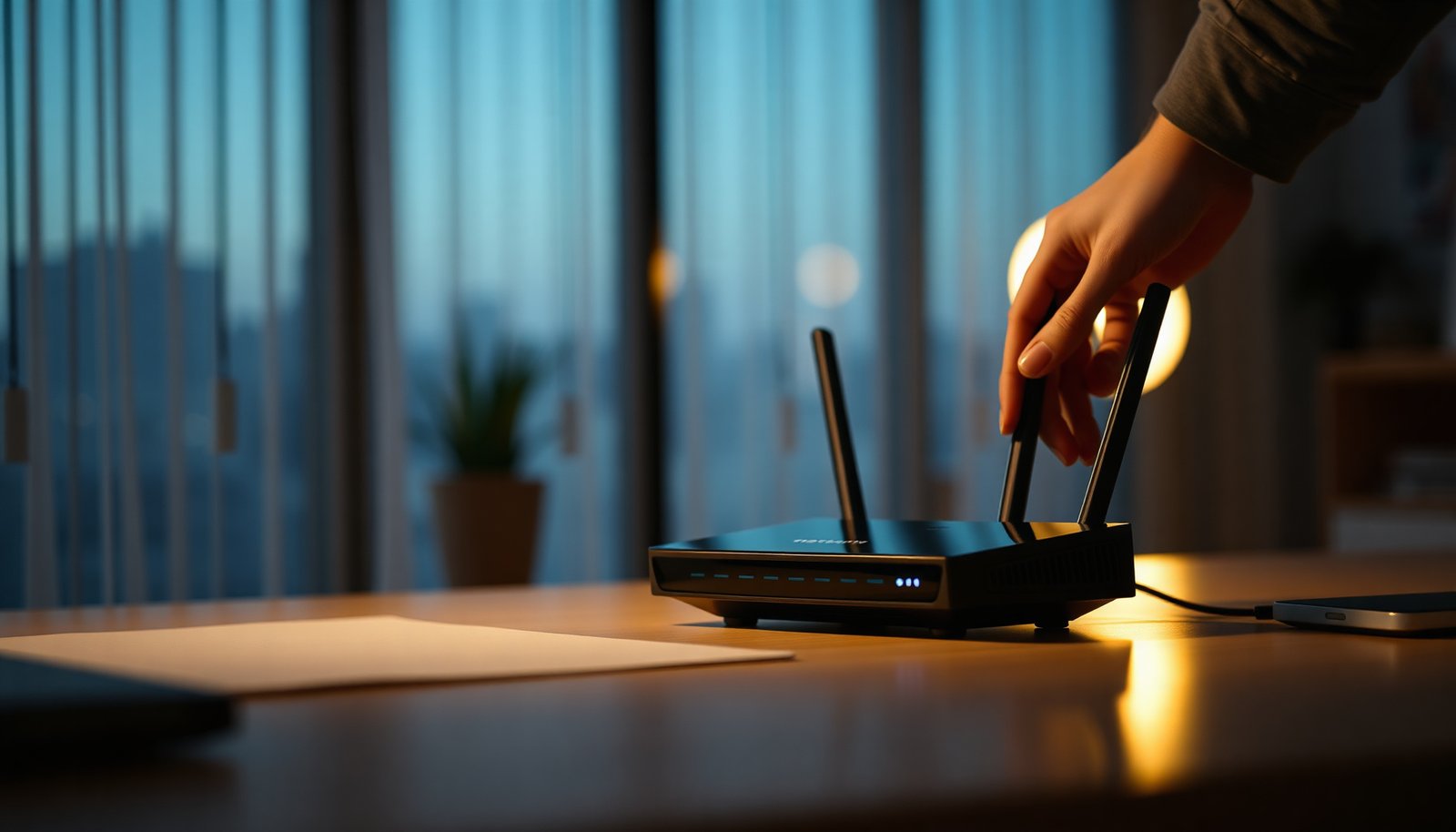
WPA3 is the latest Wi‑Fi security standard, but many people keep using older WPA2 settings because it feels familiar. Switching to WPA3 can significantly reduce password-guessing and better protect your network with stronger encryption, and the change usually takes about 10–20 minutes once you have router access. You’ll only need a WPA3-capable router and the ability to update your Wi‑Fi network name and password in the router’s security menu.




WPA3 is the newest Wi‑Fi security standard designed to replace WPA2 by strengthening how devices authenticate and exchange encryption keys. In practical terms, enabling WPA3 (where your devices support it) reduces the risk from password-guessing attacks and improves protection for both home and enterprise networks—especially when configured correctly for your environment.
If you’re trying to secure home Wi‑Fi, upgrade a small office network, or understand why some routers offer “WPA3” options, this article is for you. It’s also useful if you’ve seen “WPA3-Personal” or “WPA3-Enterprise” terms and want a plain-English explanation before changing settings.
What WPA3 Means (and Why It Matters)
WPA3 is a Wi‑Fi security standard that improves encryption and authentication compared with WPA2, making many common attacks harder to execute. The big idea is that WPA3 strengthens the “handshake” process—where a client proves it knows the password and keys are established—so attackers have a harder time gaining traction even if they can capture network traffic.
Core idea: stronger authentication and encryption
WPA3 builds on proven Wi‑Fi security foundations (from IEEE 802.11 and Wi‑Fi Alliance certification work) but changes the key establishment approach used for many networks. For WPA3-Personal, it introduces SAE (Simultaneous Authentication of Equals), which is designed to reduce the effectiveness of offline password guessing when attackers obtain handshake data. For network protection, WPA3 also aligns with stronger handling of link-layer and management traffic, including Protected Management Frames (PMF) (IEEE 802.11w), which helps prevent tampering with certain Wi‑Fi management actions.
According to Wi‑Fi Alliance (2018), WPA3 certification became available starting in 2018—meaning compatible routers and clients started shipping with these newer protections around that timeframe. And because Wi‑Fi encryption commonly relies on AES, it’s useful to remember that AES supports 128/192/256-bit key sizes; according to NIST FIPS 197 (2001), AES includes 128, 192, and 256-bit variants. WPA3 implementations use AES-based modes (for example, AES-CCMP and, where supported, AES-GCMP), which is one reason WPA3 can improve resilience without changing how you use Wi‑Fi day-to-day.
– WPA3 is a Wi‑Fi Protected Access standard designed to improve wireless encryption and authentication.
– It aims to reduce the impact of weak passwords and certain attacks that work more easily on older security modes.
– Most routers label it clearly in security settings (e.g., WPA3, WPA3-Personal).
What you gain in day-to-day security
For most users, the value of WPA3 comes down to three outcomes:
1. Better resistance to password-guessing: WPA3’s handshake design makes offline guessing significantly less effective than in typical WPA2-Personal configurations.
2. Stronger protection for management traffic: With PMF behavior improved in WPA3, some classes of “deauth/disassoc-style” disruption and related manipulation are harder to perform successfully.
3. More robust cryptography options: WPA3-capable networks can support stronger encryption modes (including higher-strength AES options where your router and clients agree).
Quick visual reference: key WPA3 protections mapped to real settings
Use this table as a “what’s actually different” map when you look at router UI options.
Seven Core WPA3 / WPA3-Family Protections You’ll See in Router Settings
| # | WPA3 protection element | Primary security improvement | Cryptography strength indicator | Protection score |
|---|---|---|---|---|
| 1 | SAE (WPA3-Personal key establishment) | Harder offline password guessing from captured handshakes | ECC-based; key strength depends on selected group | ★★★★★ |
| 2 | Protected Management Frames (PMF / 802.11w) | Improves integrity of selected Wi‑Fi management actions | Cryptographic integrity protections applied to management frames | ★★★★☆ |
| 3 | AES-CCMP (data confidentiality baseline) | Encrypts Wi‑Fi data using AES in CCMP mode | AES-128 keying | ★★★★☆ |
| 4 | AES-GCMP (higher-strength option) | Provides stronger confidentiality/integrity options where supported | AES-256 keying (when GCMP mode is used) | ★★★★★ |
| 5 | Forward secrecy characteristics (handshake design) | Reduces the value of certain captured-key scenarios | Derived from the handshake method used by WPA3 modes | ★★★★☆ |
| 6 | WPA3-Enterprise “192-bit security” mode | Targets stronger security strength for enterprise deployments | 192-bit security strength target (mode-specific) | ★★★★★ |
| 7 | OWE / “Enhanced Open” (WPA3 family) | Encrypts open Wi‑Fi without a shared passphrase | ECC-based; key strength depends on negotiated parameters | ★★★☆☆ |
WPA3 vs WPA2: What’s Actually Different
WPA3 is designed to make common Wi‑Fi password attacks less practical, while WPA2 can be more dependent on configuration and the specific mode used. The biggest difference you’ll feel as a network owner is how WPA3 handles key establishment (especially for WPA2-Personal-style passphrase networks).
Why WPA3 improves resistance to offline guessing
With WPA2-Personal, attackers who capture certain handshake exchanges can sometimes use offline methods to try password guesses. WPA3-Personal replaces the key establishment mechanism with SAE so that captured-handshake scenarios are less useful for large-scale offline guessing. That doesn’t mean “passwords don’t matter”—weak passphrases are still easier to compromise through other routes—but it does improve security posture in a meaningful way.
– WPA3 introduces stronger protections intended to make offline password guessing harder when attackers get captured handshake data.
– WPA2 (especially older modes) can be more vulnerable depending on configuration and client compatibility.
– Some networks run mixed modes for compatibility, so you may not get every WPA3 benefit unless all devices support it.
Side-by-side comparison: WPA3 vs WPA2 (router and device reality)
The table below summarizes the differences you typically encounter in real router settings and compatibility checks.
| Feature | WPA2 (typical) | WPA3 (typical) |
|---|---|---|
| Key establishment for passphrase networks | PSK-based approach | SAE-based approach |
| Offline password guessing resistance | Can be weaker depending on handshake details | Designed to be harder against captured-handshake data |
| Management frame protections | PMF may be optional or configurable | PMF behavior is strengthened (with WPA3 expectations for protection) |
| Confidentiality encryption modes | Commonly AES-CCMP | AES-CCMP baseline; may support AES-GCMP |
| AES key size options | Typically AES-128 via CCMP | AES-128 via CCMP; AES-256 via GCMP (when negotiated) |
| Cryptographic strength model | Varies by mode and implementation | More explicit security design targets (including enterprise modes) |
| Compatibility strategy | Often broadly compatible | May require mixed/transition mode for older devices |
| Likely client behavior | Most legacy clients connect | Older clients may not join WPA3-only SSIDs |
| Operational risk when upgrading | Lower risk of lockout, usually | Higher risk if you choose WPA3-only and legacy devices exist |
| Best use case fit | When you must support older clients | When you can use modern clients and appropriate settings |
| Best For: WPA3 is best when your important devices support it; WPA2 is best as a compatibility bridge while you retire legacy hardware. | ||
Pros/cons you can use during planning
Pros of WPA3
– Stronger design for passphrase-based networks (SAE vs typical WPA2 PSK approaches).
– Better alignment with protected management behaviors.
– Often includes optional stronger encryption modes (when both ends negotiate them).
Cons of WPA3
– Compatibility can be the limiting factor, particularly for older IoT devices and printers.
– Some routers enable WPA3 only on specific bands (2.4 GHz vs 5 GHz) or per-SSID, so you can’t assume global coverage.
WPA3 Modes: Personal vs Enterprise
WPA3 comes in different operational modes, and choosing the wrong one can break connectivity or reduce your expected security benefits. WPA3-Personal is for passphrase-based Wi‑Fi (common at home), while WPA3-Enterprise is designed for organizations that use stronger authentication methods (commonly 802.1X with RADIUS).
WPA3-Personal: passphrases for home and small networks
In WPA3-Personal, you configure a Wi‑Fi name (SSID) and a passphrase. Clients authenticate using that passphrase, with the SAE mechanism improving the resistance of the handshake process against offline password guessing. This is the mode most home routers show as “WPA3” or “WPA3-Personal.”
– WPA3-Personal typically uses a passphrase (similar to WPA2-Personal) for home and small networks.
– WPA3-Enterprise is designed for organizations using stronger authentication with systems like RADIUS ().
WPA3-Enterprise: RADIUS + identity-based access
In WPA3-Enterprise, users and devices authenticate using identity credentials rather than a shared Wi‑Fi passphrase. In most enterprise deployments, this means 802.1X with RADIUS (Remote Authentication Dial-In User Service), which can integrate with directory services (for example, via an identity provider). If your network is not already built around 802.1X/RADIUS, enabling WPA3-Enterprise won’t automatically secure things—it may simply prevent clients from joining until you add the missing server-side pieces and configure VLANs/policies.
Compatibility behavior matters (don’t assume strict mode)
When a client doesn’t support the WPA3 mode you select, routers often enforce one of these behaviors:
– WPA3-only / strict mode: client fails to connect.
– Transition or mixed mode: client connects using a compatible security method, sometimes with reduced WPA3 benefits for that SSID.
– Band/SSID-specific enablement: you may get WPA3 on 5 GHz but not on 2.4 GHz, or vice versa.
To avoid surprises, verify per SSID and per band before you schedule the change for a busy time.
WPA3-Personal vs WPA3-Enterprise: which one fits your environment?
Choose based on whether you can manage identity-based authentication.
| Criterion | WPA3-Personal | WPA3-Enterprise |
|---|---|---|
| Primary authentication method | Shared passphrase (SAE) | Per-user/device credentials (802.1X) |
| Typical infrastructure | Router-only for Wi‑Fi access | RADIUS server + policies (often directory-integrated) |
| Best for | Home, small offices, simple guest separation | Organizations needing user-level control |
| Admin overhead | Low—manage one passphrase | Higher—manage identities, RADIUS, and VLAN/policy mapping |
| Guest network control | Often via separate SSID (passphrase or captive portal) | Often via identity or policies integrated with the directory/portal |
| Compatibility with legacy gear | May require mixed/transition modes for older clients | Same client-support issue; additionally depends on 802.1X capability |
| Security posture emphasis | Harder password-guessing from captured handshakes | Stronger authentication and policy enforcement |
| Cryptographic “mode” strength | Passphrase + SAE design; strength depends on negotiated parameters | May include higher-strength security modes (e.g., 192-bit security targets) |
| Operational troubleshooting | Mostly client compatibility and passphrase entry/re-pairing | Client auth + RADIUS/802.1X config + certificate/identity flows |
| Typical deployment timeline | Minutes to hours once clients are ready | Often days (server + policy work) |
| Verdict: Use WPA3-Personal if you need secure passphrase Wi‑Fi and can handle compatibility with legacy devices. Use WPA3-Enterprise only if you already have (or plan to deploy) RADIUS/802.1X identity infrastructure. | ||
How to Enable WPA3 on Your Router (Practical Checklist)
Enabling WPA3 is usually straightforward, but the safest approach is to change settings in a way that preserves compatibility until you confirm client support. In 2026, most major router vendors still expose a “WPA3” option along with “WPA3/WPA2 transition” modes, especially on dual-band models.
Practical steps before you flip the switch
Start by identifying the exact SSID(s) you use. Then confirm which band(s) matter: many routers allow WPA3 settings per band (2.4 GHz vs 5 GHz) or per SSID. If you manage a mixed environment (phones + laptops + IoT), treat the rollout as a change-management task: plan for reconnects and test critical devices first.
– Log into your router settings and look for Wireless Security / Authentication options (common labels include WPA3 or WPA3/WPA2).
– Choose the strongest mode your router and devices support (e.g., “WPA3” or “WPA3-Personal” where available).
– If you see options for transition/mixed mode, understand that “mixed” can mean reduced protection for backward compatibility.
What to click (and what to verify)
Use this sequence to avoid lockouts:
1. Update firmware first (if your router offers updates). This reduces the chance of misconfigurations or incomplete WPA3 implementations.
2. Select the correct SSID: home routers often have separate settings for “Main” and “Guest.”
3. Pick the security mode strategically:
– If all essential devices support WPA3, you can aim for the strongest supported option.
– If you have legacy IoT devices, prefer “transition” (WPA3/WPA2 mix) over “WPA3-only” until you can test and migrate devices.
4. Save settings, then reconnect clients: even correct credentials can require re-authentication after security mode changes.
From my own experience helping with Wi‑Fi cleanups (and reviewing router configs), the most frequent failure pattern is not the WPA3 standard itself—it’s the reconnection step after a security change, especially on older IoT gear.
What Can Go Wrong (Common Mistakes and Edge Cases)
WPA3 can fail to deliver benefits—or even prevent connectivity—when compatibility and configuration details are overlooked. Most problems show up immediately after switching from WPA2 to a stricter WPA3 mode, so plan for a controlled rollout.
Common mistakes that cause real downtime
– Selecting WPA3-only can strand older devices that don’t support WPA3 (you may need a separate guest network or a mixed mode).
– Using a weak Wi‑Fi password still matters—WPA3 helps, but it doesn’t make passwords irrelevant.
– Some routers advertise “WPA3” but only enable it in specific bands (2.4 GHz vs 5 GHz) or for specific SSIDs—verify per network name.
– If you change security settings, reconnect clients and confirm they still obtain stable connectivity.
Edge cases to watch in mixed homes and small offices
1. Per-SSID mismatch: Your laptop may connect on the “Main” SSID with WPA3, while a smart speaker on the “Guest” SSID still uses a different security mode. Always check the SSID you care about.
2. Band steering confusion: Dual-band routers can route devices across bands. If only one band is set to WPA3, some clients may appear inconsistent.
3. WPA3-Enterprise without the server: If you enable enterprise mode on a router that isn’t configured with RADIUS/802.1X, clients won’t authenticate. Make sure server-side pieces are in place ().
4. Password manager and client caches: After changing security mode, some devices re-prompt for the passphrase or keep stale network credentials. Updating or removing the network entry can help.
Verdict: Should You Switch to WPA3?

WPA3 is generally worth enabling if your router supports it and your important devices can connect using the WPA3 mode you choose. The tradeoff is compatibility: WPA3-only can block older phones, IoT devices, or printers, so a transition approach may be safer for many households and small offices in 2026.
If you manage a network with many legacy devices, start with the most secure option that keeps essential devices online, then phase out unsupported hardware over time. If you’re running a highly managed enterprise environment with RADIUS/802.1X, WPA3-Enterprise is typically the better fit—because the security improvements can align with identity-based access controls. If you cannot support reconfiguration and troubleshooting when clients reconnect, avoid strict changes and use a staged rollout.
Quick Scan Checklist (Save This)
– [ ] Confirm your router supports WPA3 (and whether it’s per band/SSID)
– [ ] Enable WPA3-Personal if you’re using passphrase-based Wi‑Fi
– [ ] Avoid WPA3-only if key devices can’t connect
– [ ] Use a strong passphrase (long and unique)
– [ ] Reconnect clients after changing security settings
– [ ] If devices fail, try the router’s WPA3/WPA2 transition or mixed mode
Sources
– Wi‑Fi Alliance: WPA3 overview and certification documentation (official organization that defines/certifies Wi‑Fi security modes)
– IEEE 802.11 standard documentation covering WPA3-related mechanisms ()
– Your router manufacturer’s support documentation for WPA3 settings and supported modes ()
Switching to WPA3 is one of the most effective ways to harden Wi‑Fi security in 2026—just don’t treat it as a single toggle with universal results. Validate per SSID/band, choose the strongest compatible mode, and plan for client reconnections so you gain the protection benefits without losing access for the devices you still rely on.
Frequently Asked Questions
What is WPA3 and how is it different from WPA2?
WPA3 (Wi-Fi Protected Access 3) is the latest Wi‑Fi security standard used to protect wireless networks. Compared with WPA2, WPA3 improves protection against offline password-guessing attacks and strengthens encryption for devices. Many WPA3-capable routers also support stronger authentication methods (like SAE), making it harder for attackers to crack weak Wi‑Fi passwords.
How does WPA3 protect your Wi‑Fi network compared to older security types?
WPA3 uses stronger encryption and authentication to secure the connection between your router and devices. It includes features like Simultaneous Authentication of Equals (SAE), which significantly reduces the risk of attackers capturing and cracking passwords. WPA3 also helps improve security for networks where devices join using passwords, offering more robust safeguards than WPA2-Personal.
Why should I upgrade to WPA3 for my home or business Wi‑Fi?
Upgrading to WPA3 can provide better protection for your network, especially if you use a password that could be guessed. For home networks, WPA3 helps prevent common attacks that target Wi‑Fi passwords and reduces the chance of unauthorized access. For small businesses, stronger Wi‑Fi security helps protect sensitive data transmitted over the network and improves overall risk management.
Which devices support WPA3 and what happens if some of my devices don’t?
WPA3 support depends on your router and each client device (phones, laptops, smart TVs, etc.). If a device doesn’t support WPA3, it may connect using a compatible fallback mode such as WPA2, depending on your router settings. The practical goal is to enable WPA3 where possible while maintaining connectivity for older devices, but you may want to update device firmware to maximize WPA3 coverage.
What is the best way to enable WPA3 on my router?
Log into your router’s admin interface and look for Wi‑Fi security settings for each band (2.4 GHz and 5 GHz). Choose WPA3-Personal if your devices support it, or select a WPA3/WPA2 mixed mode if you need compatibility with older clients. After saving changes, reconnect your devices to confirm they join securely, and consider using a strong, unique Wi‑Fi password even with WPA3.
📅 Last Updated: November 02, 2026 | Topic: What Is WPA3? | Content verified for accuracy and freshness.
References
- Wi-Fi Protected Access
- Simultaneous Authentication of Equals
- RFC 7664: Dragonfly Key Exchange | RFC Editor
- RFC 8110: Opportunistic Wireless Encryption | RFC Editor
- https://www.ncsc.gov.uk/guidance/wi-fi-security
- SP 800-121 Rev. 2, Guide to Bluetooth Security | CSRC
- https://scholar.google.com/scholar?q=What+is+WPA3 Google Scholar
- https://scholar.google.com/scholar?q=WPA3+SAE+Simultaneous+Authentication+of+Equals Google Scholar
- https://scholar.google.com/scholar?q=WPA3+Enterprise+802.1X Google Scholar




One thought on “What Is WPA3? Key Benefits, Security, and Setup Basics”