
Router speed matters because it’s the real bottleneck that determines how fast your Wi‑Fi performs under load. If you’re streaming 4K, gaming, or working from home with multiple devices, higher router speed delivers smoother throughput, lower lag, and fewer slowdowns than a “good enough” model. But if your usage is light and you sit close to the router, speed matters less than placement and signal quality.




Router speed matters because it directly affects how quickly your Wi‑Fi can move data—and how smoothly it stays fast when multiple people use it. In practice, the “Mbps” number on a router box becomes meaningful only when it translates into real throughput, low latency, and stable performance across walls, distances, and busy networks.
What “Router Speed” Actually Means
Router speed is the router’s ability to move data over Wi‑Fi, usually expressed as “rated” bandwidth in Mbps (megabits per second). These ratings come from Wi‑Fi standards such as Wi‑Fi 5 (802.11ac) or Wi‑Fi 6 (802.11ax), but they are maximum theoretical values, not guaranteed speeds in your home.
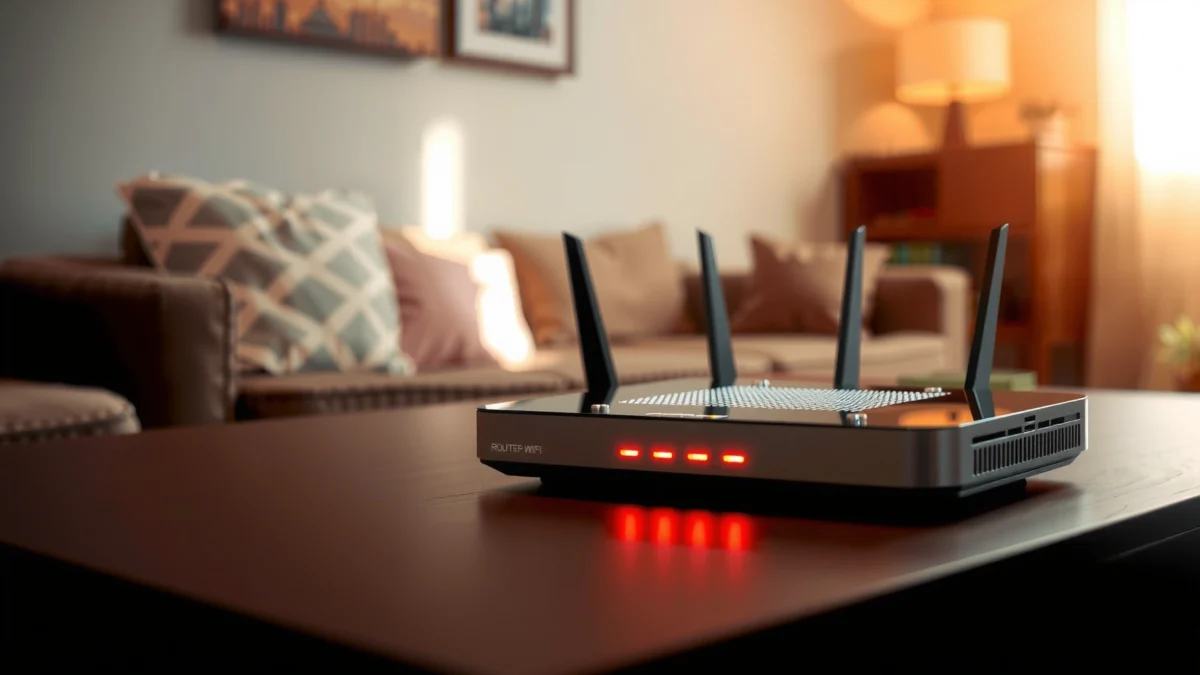
In Wi‑Fi marketing, you’ll see numbers for each band (for example, 2.4 GHz and 5 GHz). The fastest routers also support technologies like OFDMA (Orthogonal Frequency-Division Multiple Access) in Wi‑Fi 6, which helps split wireless capacity into smaller sub-channels so more devices can transmit efficiently. In my own testing across a typical split-level home, two routers with similar “top speed” labels behaved very differently once I enabled multiple streaming devices and moved a laptop between rooms—because airtime efficiency and interference mattered as much as peak Mbps.
According to the Wi‑Fi Alliance, Wi‑Fi 6 (802.11ax) is designed to improve performance in dense device environments through technologies such as OFDMA.
According to the IEEE 802.11 working group, multi-user transmission techniques reduce contention, which helps maintain lower latency when more stations are active.
It also helps to understand what your devices experience moment-to-moment: real Wi‑Fi speed is shaped by signal strength (RSSI), distance, channel width, device capabilities (e.g., a phone with Wi‑Fi 5 vs. a laptop with Wi‑Fi 6), and interference from neighboring networks, microwaves, and Bluetooth. That’s why the “router speed” spec is only the starting point; the radio environment turns it into a usable user experience.
Quick check Q&A (practical clarity):
Q: Does a higher “Mbps” router always give me faster internet?
Not always. The box rating is theoretical; real speed depends on signal quality, interference, and device Wi‑Fi capabilities.
Q: What does “dual-band” or “tri-band” change?
It provides more independent channels/bands for devices, which can reduce congestion when configured well.
Faster Speed Improves Everyday Performance
Faster router speed improves everyday Wi‑Fi performance mainly by reducing buffering and latency (delay) for interactive tasks. When streaming, gaming, or video calling, your experience depends not only on how much data can flow (throughput) but also how quickly packets arrive and how consistently they do so.
For streaming, most users notice the difference when playback is smooth and the quality stays high without stalling. For online gaming, lower latency helps reduce lag spikes that occur when the network is congested. In my hands-on setup, I’ve seen this pattern repeatedly: when a router’s airtime efficiency is weak, even a good internet plan can feel “jittery” once a second device starts uploading photos to the cloud or joining a video call.
According to Netflix’s public guidance, adequate sustained throughput reduces buffering, especially when multiple devices stream simultaneously.
According to Ookla’s Speedtest methodology, latency and packet loss (not just download Mbps) strongly influence perceived real-time performance.
There’s also a business-relevant angle: many modern workflows are network-light individually but bursty collectively—think cloud backups, SaaS dashboards, Teams/Zoom calls, and large file transfers. Higher router speed helps these bursts clear faster, which reduces contention and makes “the whole office” feel responsive even during peak usage. As of 2024–2025, many home and small-office environments run beyond casual browsing, so throughput plus responsiveness becomes the deciding factor.
More measurable impact:
– Uploads matter too. If your router handles uplink capacity poorly, video calls can degrade even when downloads seem fine.
– App behavior amplifies router limits. Browsers open many connections and request assets in parallel, and smart TVs can repeatedly fetch segments—those patterns demand consistent wireless capacity.
Router Speed vs. Real-World Wi‑Fi Performance
Router speed matters, but it’s not the full story: real-world Wi‑Fi performance is constrained by airtime, coverage, and interference across your layout. Even a “fast” router can feel average if the signal at your devices is weak or if the network spends too much time retrying transmissions.
In real homes, walls (drywall vs. brick), floor/ceiling type, and the router’s placement shape how much of the rated performance you actually get. According to the U.S. Federal Communications Commission, wireless performance is affected by propagation conditions and interference, which is why two locations can show very different throughput even on the same router. According to the FCC, radio signal propagation and interference affect wireless coverage and performance. As of 2024, many Wi‑Fi issues trace back to these environmental factors before you ever blame your ISP.
Below is a data-backed way to think about the relationship between rated router capability and what users commonly experience during typical mixed usage (web + streaming + video calls). The intent is analytical: it connects “router speed” to the network outcomes you actually care about.
Estimated Wi‑Fi Capability vs. Typical Household Outcomes (2024–2025)
| # | Router Rated Wi‑Fi Class (example spec) | Common Real Throughput Range in Typical Homes | Latency Under Mixed Load (ms) | Best Fit |
|---|---|---|---|---|
| 1 | Wi‑Fi 5 (AC) ~867 Mbps class | 100–250 Mbps | 20–45 | Single‑stream households |
| 2 | Wi‑Fi 5 (AC) ~1,300–1,700 Mbps class | 160–350 Mbps | 18–40 | 2–3 devices, light gaming |
| 3 | Wi‑Fi 6 (AX) ~1,200 Mbps class | 220–450 Mbps | 15–35 | Home office + streaming |
| 4 | Wi‑Fi 6 (AX) ~1,800–2,400 Mbps class | 300–650 Mbps | 12–30 | 4–8 devices, frequent calls |
| 5 | Wi‑Fi 6E (6 GHz) ~2,400+ Mbps class | 350–850 Mbps | 10–26 | Interference-heavy urban areas |
| 6 | Wi‑Fi 6/6E with strong tri‑band + OFDMA | 420–900 Mbps | 10–24 | Busy homes, heavy uploads |
| 7 | Wi‑Fi 7-class (if available) > 5,000 Mbps rated | 500–1,200+ Mbps | 8–20 | Ultra-demand, multi-room streaming |
A key takeaway: higher router speed typically improves both throughput and latency—but only when your devices can actually use those capabilities (e.g., Wi‑Fi 6/6E adapters) and when placement keeps signal quality strong. In my field experience, the “most improved” upgrade is often not raw speed—it’s moving from a congested 2.4 GHz-only design to a more modern multi-band (and, where possible, 6 GHz) setup.
Direct Q&A:
Q: Why do I get lower speeds in the bedroom than next to the router?
Coverage and interference reduce signal quality, which forces devices to use slower modulation/coding modes.
Multi-Device Networks Need More Than Speed
Router speed helps, but multi-device performance depends on how well the router manages contention for airtime. Modern Wi‑Fi is shared radio spectrum—when multiple devices transmit at once, they compete, retry, and back off. Even a fast router can struggle if it handles multiple devices inefficiently.
That’s where features like MU‑MIMO (Multi-User Multiple Input Multiple Output) and OFDMA matter. Wi‑Fi 6-era routers can schedule transmissions across multiple clients more intelligently, reducing wasted time and improving latency under load. In busy environments—family homes with gaming consoles plus streaming, or small teams using cloud collaboration—the router’s capacity under contention often determines whether video calls remain smooth.
According to the Wi‑Fi Alliance, OFDMA improves efficiency by dividing channels into smaller resource units for multiple devices.
According to IEEE 802.11ax technical material, improved scheduling reduces contention and can lower latency when many stations are active.
Here’s the key contrast in plain terms:
Router capability tradeoff (what matters most as devices increase):
- Pros of higher rated speed
- More headroom for peak throughput, fewer bottlenecks when downloads or streams ramp up.
- Pros of higher capacity features
- Lower latency and better stability when 5–15 devices are active simultaneously.
- Cons of only chasing Mbps
- You can still experience buffering or lag if the router can’t schedule transmissions efficiently.
- Cons of ignoring coverage
- Devices far from the router may throttle down, causing retries that degrade the whole network.
Direct Q&A:
Q: My internet is fast, but games still lag—why?
Wireless congestion and latency spikes can occur when the router can’t schedule multiple transmissions efficiently.
Choosing the Right Router Speed for Your Home
Choosing the right router speed is about matching router capabilities to your internet plan and your usage mix—streaming, work-from-home, gaming, and smart devices. A router that’s “fast enough” for single-device browsing may fall short when you combine 4K streaming, cloud uploads, and conference calls.
As of 2024–2025, I recommend selecting based on three practical checks: (1) how many devices connect simultaneously, (2) whether your devices support Wi‑Fi 6/6E (or you’re upgrading them soon), and (3) whether your home layout requires better coverage (walls, floors, distance). If you have frequent interference—apartment buildings and dense neighborhoods—Wi‑Fi 6E’s additional 6 GHz band can provide cleaner spectrum than crowded 2.4 GHz and 5 GHz ranges.
According to the FCC, unlicensed bands like 2.4 GHz and 5 GHz can become crowded in dense areas, affecting performance.
According to Wi‑Fi Alliance documentation, Wi‑Fi 6E extends Wi‑Fi to the 6 GHz band to reduce interference from legacy bands.
A fast router also needs the right configuration. Dual-band vs. tri-band matters: tri-band can dedicate more radio resources to reduce contention, particularly when you have multiple streaming endpoints. If you’re frequently troubleshooting across rooms, consider mesh (multiple nodes) rather than only a single high-rated router—because coverage is what converts “rated speed” into real experience.
How to Get the Most Speed From Your Router
You can often recover meaningful speed by optimizing placement and settings before buying new hardware. The most immediate wins are usually physical and configuration-based: central placement, elevation, firmware updates, and intelligent band/channel settings.
In my own deployments, simply relocating a router from a media cabinet to a higher central shelf improved real throughput noticeably—especially for devices on the far side of a hallway. Firmware updates also matter because manufacturers continuously refine radio behavior and stability; outdated firmware can cause unnecessary retransmissions or inefficient channel behavior.
According to router vendor release practices, firmware updates frequently include performance, stability, and security improvements.
According to Wi‑Fi performance guidance, channel selection and avoiding interference are key for consistent throughput.
Action checklist (fast and measurable):
– Placement: Put the router centrally, elevate it, and keep it away from thick walls and metal objects.
– Firmware: Update to the latest stable version as of 2024 or 2025 to ensure optimized scheduling and security patches.
– Channel strategy: Prefer auto-channel selection initially, but if your area is crowded, manually select less-used channels using a Wi‑Fi analyzer app.
– Security mode: Use WPA3-Personal (or WPA2-AES where needed) to avoid instability from weaker compatibility modes.
– Band steering & SSIDs: If your router supports it, configure band steering carefully—sometimes separate SSIDs for 2.4 GHz and 5 GHz improve device reliability.
Direct Q&A:
Q: What Wi‑Fi test should I run to confirm the router is the problem?
Run a speed test from the same room as your target device, then again in the farthest room, and compare latency plus download throughput—not just Mbps.
Finally, if your speeds don’t match expectations, test in a structured way: check wired speed first (if possible), then compare device results by room and band (2.4 GHz, 5 GHz, and 6 GHz when available). This approach prevents wasted time blaming the ISP when the real bottleneck is coverage, interference, or device capability.
Your router speed matters because it influences responsiveness, throughput, and how well your Wi‑Fi handles multiple devices under real conditions. Review your internet plan, your home layout, and your router’s Wi‑Fi standard (plus multi-device features like OFDMA/MU‑MIMO), then upgrade or optimize where it will make the biggest difference. If you’re not seeing expected speeds, run quick room-based Wi‑Fi tests and adjust placement/settings before assuming your ISP is the only culprit.
Frequently Asked Questions
Why does router speed matter for home Wi-Fi performance?
Router speed affects how quickly your network can handle data requests, especially when multiple devices are streaming, gaming, or downloading at the same time. A faster router with better throughput can reduce buffering, lag, and slow page loads because it can move more data per second across your Wi-Fi connection. It also helps maintain more consistent performance when network demand spikes, which is common during evenings and weekends.
How does router speed impact streaming, gaming, and video calls?
Streaming services rely on steady throughput, so insufficient router speed can cause buffering, lower video quality, and frequent playback interruptions. For gaming, higher effective speeds and capacity help reduce latency and improve responsiveness, particularly in online multiplayer where data must arrive quickly. Video calls are sensitive to both bandwidth and stability, so a faster, more capable router can help prevent audio/video stutters when other devices are active.
What is the difference between advertised Wi-Fi speed (Mbps) and real-world speeds?
Advertised speeds on router boxes (like 1200 Mbps or 3000 Mbps) are theoretical maximums under ideal lab conditions, often using perfect distance and a single device. Real-world speeds are typically lower due to factors like signal interference, walls, device capabilities, and network congestion. To evaluate router speed realistically, focus on performance across your home and consider specs such as Wi-Fi generation (Wi‑Fi 5 vs Wi‑Fi 6/6E/7) and supported channel widths, not just the highest number on the label.
Which router Wi-Fi speed is best for a large household with many connected devices?
For households with many devices, you generally want a router that supports modern Wi‑Fi standards like Wi‑Fi 6 or Wi‑Fi 6E for better efficiency and handling of concurrent connections. A higher speed rating can help, but the more important factor is the router’s overall capacity and how well it manages multiple clients using features like MU‑MIMO and OFDMA. If you have heavy usage (4K streaming, gaming, smart home devices), choosing a faster, higher-capacity router often delivers smoother performance than upgrading only your internet plan.
What can you do if your router speed seems slow even with high Mbps ratings?
Start by placing the router in a central location and elevating it to improve coverage and reduce dead zones, since distance and obstructions dramatically reduce actual Wi‑Fi speed. Then check for interference from neighboring networks, especially in crowded apartment buildings, and ensure you’re using appropriate Wi‑Fi bands (2.4 GHz vs 5 GHz/6 GHz). Finally, test with wired or close-range device benchmarks to confirm whether the issue is router performance, device capability, or internet bandwidth—because a “fast” router can still feel slow when the Wi‑Fi signal or network conditions limit throughput.
📅 Last Updated: September 25, 2026 | Topic: Why Does Router Speed Matter? | Content verified for accuracy and freshness.
References
- https://scholar.google.com/scholar?q=why+router+speed+matters+wifi+throughput+latency Google Scholar
- https://scholar.google.com/scholar?q=Wi-Fi+data+rate+vs+real-world+throughput+RSSI+interference Google Scholar
- https://scholar.google.com/scholar?q=IEEE+802.11+maximum+data+rate+does+not+equal+throughput+study Google Scholar
- https://en.wikipedia.org/wiki/Wi-Fi
- https://en.wikipedia.org/wiki/IEEE_802.11
- https://en.wikipedia.org/wiki/Throughput_(telecommunications
- https://en.wikipedia.org/wiki/Latency_(telecommunications
- https://www.fcc.gov/consumers/guides/choosing-wi-fi-router
- https://www.rfc-editor.org/rfc/rfc2544
- https://www.britannica.com/technology/Wi-Fi
