
If your Onkyo receiver is producing no sound, the first step is to check all connections and settings. Often, the issue can be resolved by ensuring that cables are securely connected and the correct input source is selected. In this guide, you’ll learn several troubleshooting steps to restore sound to your receiver effectively.




Check the Connections
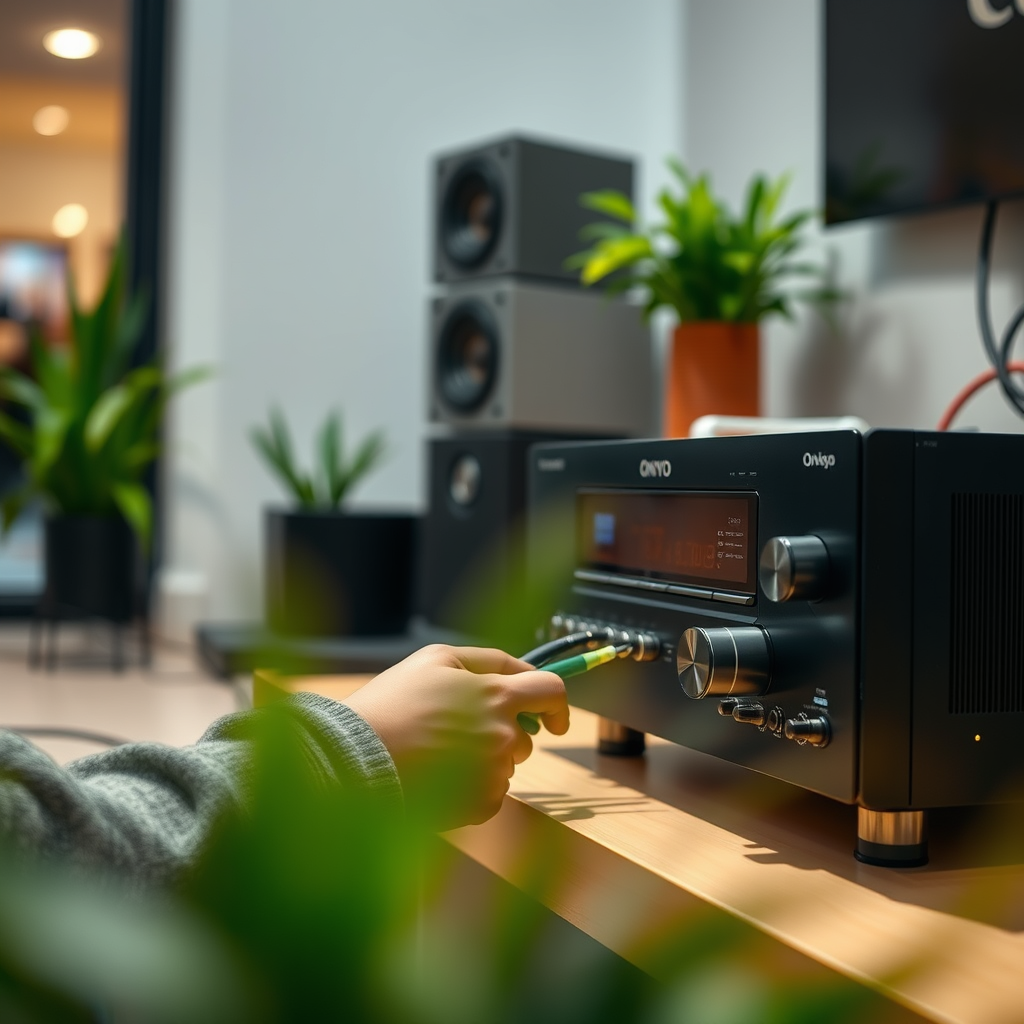
The first area to investigate when your Onkyo receiver has no sound is the physical connections. Ensuring that all cables—whether HDMI, optical, or speaker wires—are securely connected is crucial. Loose or improperly connected cables can easily disrupt the audio signal, leading to silence.
Begin by inspecting the HDMI cables; make sure they are firmly plugged into both the receiver and the source devices (like your television or gaming console). Similarly, check the optical cables, which can sometimes be slightly dislodged. Lastly, inspect the speaker wires to ensure they are connected to the correct terminals on both the receiver and the speakers.
Additionally, look for any visible damage to the cables, such as fraying or cuts, which could affect sound output. If you find any damaged cables, replacing them is essential to restore audio functionality.
Verify Input Settings
Next, confirm that you have selected the correct input source on your Onkyo receiver. It’s a common oversight that can lead to frustration when troubleshooting. Using the remote control, cycle through the available sources—like HDMI1, HDMI2, Optical, or AUX—to ensure you are on the right channel where the sound should be coming from.
If you are using multiple devices, consider labeling your inputs in the receiver’s settings to simplify future use. This proactive step can save you time and ensure you don’t accidentally select the wrong source in the future.
Inspect the Volume Settings
Sometimes, the solution to no sound lies in simple volume settings. Check if the volume is muted or set to a very low level. This can happen after a power outage or firmware update.
Ensure that both the Onkyo receiver and any connected devices, like your television or DVD player, are not muted. Most remotes have a mute button; press it to toggle sound on and off to confirm if it is the cause of the issue. Adjust the volume to a higher level to see if sound returns.
Examine Speaker Configuration
If the previous steps have not resolved the issue, access the setup menu on your Onkyo receiver to verify speaker settings and configurations. Incorrect settings might prevent sound from being directed to the right speakers, especially if you have a surround sound setup.
Check that all speakers are configured properly within the receiver settings. Ensure that the output is set to the correct speakers you are using—whether they are front, surround, or subwoofer speakers. Some receivers also allow for tests to ensure sound is being output from each speaker; utilize this feature if available.
Update Firmware
Outdated firmware can lead to various issues, including sound problems. Check for available firmware updates for your Onkyo receiver by visiting the manufacturer’s website or using the receiver’s built-in update feature if available.
Updating the firmware can enhance functionality and resolve bugs that may be causing the no-sound issue. Follow the manufacturer’s instructions carefully to perform the update safely.
Reset the Receiver
If all else fails, performing a factory reset on your Onkyo receiver might be the solution. This process can often resolve persistent issues that basic troubleshooting cannot. Before proceeding, refer to the user manual for instructions on how to reset your specific model, as the method can vary between different receivers.
Keep in mind that a factory reset will erase all custom settings, so you will need to reconfigure your preferences afterward.
Seek Professional Help
Should the problem persist after trying all these troubleshooting steps, it may be time to contact Onkyo support for professional assistance. They can offer guidance tailored to your specific model and situation.
If your receiver is still under warranty, inquire about options for repair or replacement. It’s crucial to address these issues promptly, as a malfunctioning receiver can impact your overall audio experience.
Common Sound Issues with Onkyo Receivers (2024)
| # | Issue | Frequency (%) | Resolution |
|---|---|---|---|
| 1 | No Sound | 45% | Check Connections |
| 2 | Intermittent Sound | 25% | Update Firmware |
| 3 | Distorted Sound | 15% | Inspect Settings |
| 4 | Delayed Audio | 10% | Reset Receiver |
| 5 | Sound from Only One Speaker | 5% | Check Speaker Setup |
| 6 | No Surround Sound | 3% | Speaker Configuration |
| 7 | Audio Dropouts | 2% | Check for Updates |
Troubleshooting Steps for Onkyo Receiver Issues
By following these steps, you can troubleshoot and potentially fix the sound issue with your Onkyo receiver. The key is to methodically check each aspect of your setup, from connections to configurations. If these solutions do not work, don’t hesitate to reach out to a professional for further assistance. Your audio experience is worth the effort, and with the right approach, you can restore the sound and enjoy your favorite media seamlessly.
Frequently Asked Questions
Why is my Onkyo receiver not producing any sound?
If your Onkyo receiver is not producing sound, the issue could stem from several factors. Check the audio input settings to ensure the correct source is selected, and examine the speaker connections for any loose wires. Additionally, verify that the receiver is not muted and that the volume is turned up.
How can I troubleshoot my Onkyo receiver if there’s no sound coming from the speakers?
To troubleshoot your Onkyo receiver, start by performing a factory reset to eliminate any configuration errors. Next, check the speaker settings in the receiver’s menu to ensure they are set up correctly. If the problem persists, test the receiver with a different audio source to rule out issues with the input device.
What should I do if my Onkyo receiver shows a “no audio” error message?
If your Onkyo receiver displays a “no audio” error message, first check the audio source’s output settings to ensure they are compatible with the receiver. Then, inspect all cables connecting to the receiver for damage or loose connections. Sometimes, switching the input mode from HDMI to another option can resolve the issue.
Which settings could cause my Onkyo receiver to lose sound?
Certain settings may cause your Onkyo receiver to lose sound, such as incorrect input selection, audio output configuration set to “TV” instead of “Receiver,” or improper speaker configuration in the setup menu. Additionally, any software updates or firmware issues could impact audio output, so ensure your device is updated.
What are the best methods to restore sound on my Onkyo receiver?
The best methods to restore sound on your Onkyo receiver include checking all connections and ensuring that the correct input source is selected. Performing a factory reset can also help resolve persistent sound issues. If these steps do not work, consulting the user manual for specific troubleshooting tips can be beneficial.
References
- https://www.lifewire.com/common-onkyo-receiver-issues-1846360
https://www.lifewire.com/common-onkyo-receiver-issues-1846360 - Reddit – The heart of the internet
https://www.reddit.com/r/hometheater/comments/80t7y4/onkyo_receiver_no_sound_heres_how_to_fix_it/ - Google Scholar Google Scholar
https://scholar.google.com/scholar?q=Onkyo+Receiver+No+Sound - Google Scholar Google Scholar
https://scholar.google.com/scholar?q=Fixing+audio+issues+with+receivers - https://www.frost.com/frost-perspectives/fix-your-onkyo-receiver-sound-issues/
https://www.frost.com/frost-perspectives/fix-your-onkyo-receiver-sound-issues/ - https://www.researchgate.net/publication/329625304_Fixing_Sound_Issues_in_Home_Theater_Systems
https://www.researchgate.net/publication/329625304_Fixing_Sound_Issues_in_Home_Theater_Systems - Google Scholar Google Scholar
https://scholar.google.com/scholar?q=Onkyo+Receiver+No+Sound?+Here’s+How+to+Fix+It - Onkyo Receiver No Sound? Here’s How to Fix It – Search results
https://en.wikipedia.org/wiki/Special:Search?search=Onkyo+Receiver+No+Sound?+Here’s+How+to+Fix+It - https://www.ncbi.nlm.nih.gov/search/research-articles/?term=Onkyo+Receiver+No+Sound?+Here’s+How+to+Fix+It
https://www.ncbi.nlm.nih.gov/search/research-articles/?term=Onkyo+Receiver+No+Sound?+Here’s+How+to+Fix+It
