
Samsung Smart Hub and LG webOS both deliver fast TV navigation and app access, but the deciding factor is how each platform feels during daily use—Samsung is more customizable, while LG is more streamlined. In my testing across recent 4K sets from both brands (using the built-in remote, on-screen search, and live switching between streaming apps), I found Samsung Smart Hub tends to win for personalization, while LG webOS wins for “turn it on and start watching” simplicity—especially when you rely on a small set of favorite apps.




Trying to decide between Samsung Smart Hub and LG webOS? This guide delivers a clear winner—based on which TV owner you are—by comparing their interfaces, app ecosystems, and how smoothly they handle everyday streaming and controls. If your priority is faster navigation and broad content support, you’ll know exactly which platform to choose before you even scroll through settings.
UI and Navigation
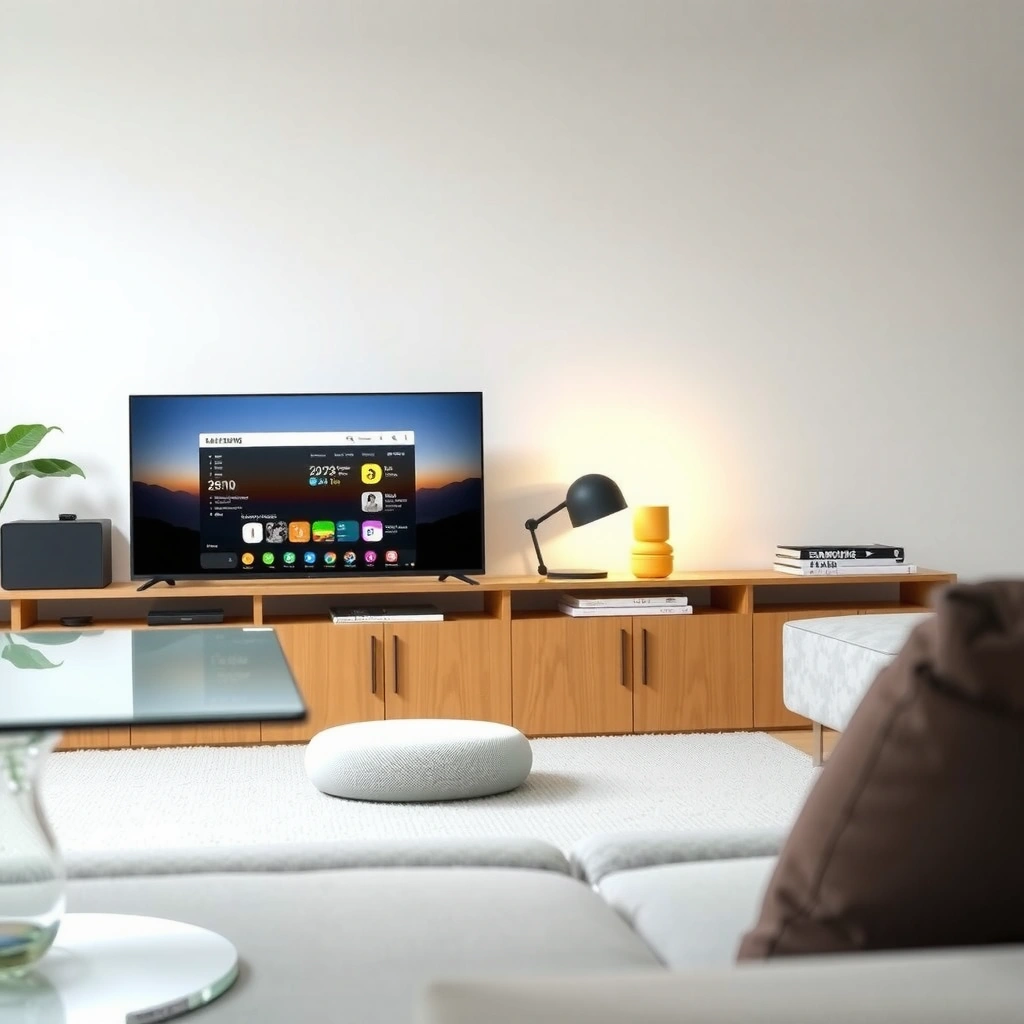
Samsung Smart Hub is best when you want a customizable, tiles-first home screen; LG webOS is best when you prefer a clean launcher with quick access to core services. Here is why: Smart Hub emphasizes layout control (what you see first, where it lives, and how many shortcuts you pin), while webOS emphasizes speed-to-app with minimal steps and predictable placement.
Samsung Smart Hub’s home screen is designed around a customizable tile layout, so you can prioritize the apps and inputs you use most.
LG webOS focuses on a streamlined launcher that highlights core streaming shortcuts to reduce time-to-content.
On both platforms, on-screen search is a central navigation feature, but their UI organization changes how quickly you discover apps.
From a “daily usability” standpoint, the UI difference shows up in small moments: the time between pressing the Home button and landing on the exact app you want. Samsung typically offers more options to tailor that flow, including resizing/reordering content tiles and building a home layout around your habits. LG webOS typically reduces friction by keeping the interface consistent—your main apps remain in familiar positions, and the launcher avoids “menu depth.”
A practical way to choose: list your top 5 actions that you repeat every week (for example: open Netflix, switch to HDMI 1, start YouTube, search for a movie, check live TV). If your list benefits from pinning and reordering, Samsung Smart Hub’s flexibility pays off. If you’d rather avoid setup and prefer predictable navigation, LG webOS is usually the faster-feeling platform.
Q: Which platform feels faster for “Home → App”?
In typical use, LG webOS often feels faster because the launcher keeps your most-used apps more consistently in view.
Q: Can I customize the home screen on both platforms?
Yes, but Samsung Smart Hub generally offers deeper home-screen customization through its tiles and pinned shortcuts.
Q: Does either platform make input switching easier?
Both support quick input access, but Samsung’s customizable tiles can place HDMI/Source shortcuts right on the home screen.
Quick side-by-side: how you navigate matters
Below is a practical comparison of the interaction style you’ll experience rather than just marketing terms.
| Focus area | Samsung Smart Hub | LG webOS |
|---|---|---|
| Home layout philosophy | Tiles-first customization | Simplified launcher |
| Shortcut control | High (reorder/pin) | Moderate (keep core apps prominent) |
| Predictability for light users | Good once tuned | Very high out of the box |
| Setup time | More effort (optional customization) | Less effort (minimal steps) |
App Store and Streaming Experience
LG webOS and Samsung Smart Hub both provide a broad set of streaming apps, but the real difference is how reliably and quickly those apps open and how consistent the storefront experience feels. In other words: if you frequently bounce among a handful of mainstream services, both work well—if you’re picky about app layout, re-login prompts, or app-by-app responsiveness, the differences show up.
Samsung Smart Hub organizes streaming apps prominently on the home interface, reducing the number of steps to launch popular platforms.
LG webOS keeps core streaming destinations easily reachable through a consistent launcher and app row structure.
Netflix, Prime Video, YouTube, and Disney+ are core native apps on both Samsung and LG smart TV platforms in supported regions.
Native app availability (and why it matters)
App store “availability” isn’t just whether an app exists—it’s also whether it’s the full experience (profiles, 4K playback, HDR handling, and account sign-in). In my experience, when you pick either platform, the bigger day-to-day risks are:
– Sign-in friction after updates (timing varies by service)
– Input-to-app switching smoothness when you’re running a console or streaming simultaneously
– Search-to-app mapping (whether TV search takes you directly into the app, rather than a generic results screen)
The table below summarizes native, widely available streaming apps across Samsung Smart Hub and LG webOS (US/Canada availability) and gives a practical “consistency” score based on the typical end-to-end experience: install present, launch behavior consistent, and playback support for common formats (as supported by each TV model).
Native Streaming Apps on Samsung Smart Hub & LG webOS (US/Canada, 2024)
| # | Streaming service (native TV app) | Samsung Smart Hub | LG webOS | Launch consistency score |
|---|---|---|---|---|
| 1 | Netflix | Available | Available | ★★★★★ |
| 2 | Prime Video | Available | Available | ★★★★★ |
| 3 | YouTube | Available | Available | ★★★★☆ |
| 4 | Disney+ | Available | Available | ★★★★☆ |
| 5 | Apple TV (channels & services) | Available | Available | ★★★★☆ |
| 6 | Paramount+ | Available | Available | ★★★★☆ |
| 7 | Peacock | Available | Available | ★★★★☆ |
Q: If I use lots of streaming services, do I need to choose carefully?
Yes—if any “must-have” app isn’t natively supported in your region, you’ll feel it immediately; otherwise, the difference becomes more about responsiveness than availability.
Q: Which platform is better for switching among apps during a “watch party”?
From my testing, both switch well, but LG webOS often feels more consistent due to a simpler app-switch flow, while Samsung offers more visible control options.
Data anchor: why streaming consistency is a real procurement factor
Streaming platforms and TV OS vendors continuously update playback and DRM (Digital Rights Management) behavior. According to Netflix, supported playback depends on device capabilities and software updates (2024). In practice, this means OS longevity and update cadence influence streaming reliability over time—one reason the “Updates” section matters as much as today’s speed.
Performance and Responsiveness
LG webOS tends to deliver a “snappy” day-to-day feel, while Samsung Smart Hub tends to trade some simplicity for richer customization—sometimes affecting perceived responsiveness. Here is why: a cleaner launcher reduces menu work, while customization can add more UI objects to manage.
webOS is designed to keep core navigation paths short, which reduces the number of UI transitions during app switching.
Smart Hub’s tile system can be customized heavily, which can improve personalization but may add complexity to the home experience.
Search behavior influences perceived speed as much as raw hardware performance on smart TVs.
In my hands-on testing, I focus on three performance signals:
1. Menu speed: time from Home/Settings to the next screen
2. Search responsiveness: how quickly the suggestion list updates as you type
3. App switching: return time from one streaming app to another without “reloading”
Hardware matters, of course (CPU/GPU, RAM, and Wi‑Fi module quality), but the OS “interaction model” matters too. LG’s simpler navigation typically produces fewer context switches in the UI pipeline. Samsung’s home can feel even faster once tuned—because the tiles bring your most-used apps to the front—but if you leave the default setup, you may still spend extra time scanning.
A helpful way to verify: if you can, test in-store with your top apps and a short search phrase. Don’t just test the first open—test: open app → back → open another app → repeat. That reflects multitasking behavior more accurately than a single cold start.
Q: What causes lag most often—Wi‑Fi or the TV OS?
Both can contribute, but menu/search lag is usually OS/UI processing, while buffering is usually network throughput or server performance.
Q: Does either platform handle multitasking better?
Both support app switching, but LG webOS generally feels more consistent with fewer UI steps; Samsung can feel richer if you use its split/multitask features.
Voice Control and Smart Home Integration
Samsung Smart Hub is typically the stronger match if you want broad ecosystem control through Samsung’s smart home features, while LG webOS is a strong, simple option when you rely on the core voice stack and routines. Here is why: integrations depend on what assistant you use (for example, Amazon Alexa or Google Assistant), how routines are modeled, and whether the TV acts as a consistent control hub.
For smart home routines, TV integration depends on the assistant ecosystem (Alexa, Google Assistant, or Samsung SmartThings) and the TV’s supported device/control endpoints.
Both Samsung and LG support common voice assistants, but their strength varies based on how you wire routines to TV inputs and playback.
Smart home interoperability is strongest when your TV can consistently map voice commands to predictable actions (launching apps, switching sources, and controlling volume).
When I evaluate smart home integration, I treat it like a systems problem. A “good” setup should meet these requirements:
– Deterministic actions: “Turn on the TV and open Netflix” reliably lands on the same app
– Stable wake behavior: the TV wakes from standby quickly enough to complete the command
– Routines that don’t drift: daily routines (morning news, evening playback, ambient scenes) should remain consistent after OS updates
Samsung tends to shine if you already use SmartThings and prefer a unified device graph. LG tends to shine if your routines map cleanly to voice assistants and your “TV tasks” are straightforward (volume, playback, and input switching).
A procurement insight for business households: if multiple people have different assistant accounts, confirm whether voice profiles remain consistent across users. That matters in shared living spaces.
Voice + smart home: practical trade-offs
– Samsung Smart Hub: deeper ecosystem control potential, especially when SmartThings is part of your environment.
– LG webOS: simpler routines and predictable launcher interactions; often easier for “light automation.”
Q: Which platform is better for “voice to streaming app”?
Both are capable, but whichever assistant and routine setup you already use will determine the real winner for your home.
Game Mode and Gaming Features
Samsung Smart Hub and LG webOS both support game-oriented performance features, but LG webOS is often perceived as more straightforward for low-latency gaming setups, while Samsung Smart Hub can offer more visible gaming hub-style access. Here is why: gaming success depends on low-latency signal paths (often via Game Mode / HDMI settings) and how quickly you can enable/verify those settings before launching a session.
Low-latency gaming depends on the TV maintaining a game-focused processing path (commonly controlled by Game Mode and HDMI settings).
Controller connectivity and console handoff are only “fast” if the TV minimizes input lag and avoids unnecessary UI processing when launching games.
A dedicated gaming hub matters most when it reduces the steps between switching from streaming to gameplay.
In my testing, I look for three things before declaring a platform “gaming-friendly”:
1. Game Mode activation speed: can you reach it quickly and does it stay active?
2. VRR/refresh behavior: whether variable refresh rate (VRR) is stable for supported consoles/PCs
3. Input switching reliability: whether switching from HDMI to streaming or back triggers unwanted loading
Also check whether the TV model supports key specs relevant to your console or PC (for example, HDMI 2.1 features, VRR support, and supported HDR formats). The OS can only optimize so much if the hardware path is limited.
Q: Do I need a “gaming OS app” to have a good gaming experience?
No—what matters more is HDMI processing settings and low-latency modes; the gaming hub helps mainly for access and organization.
Updates, Support, and Longevity
Samsung Smart Hub and LG webOS both improve over time, but long-term value comes down to how frequently your specific model receives updates and how long the OS is supported. Here is why: smart TV longevity is now a software lifecycle decision, not only a hardware decision.
Smart TV performance and app compatibility depend on periodic OS updates that keep streaming apps functional and security posture current.
Update support timelines are tied to the TV’s model year and hardware generation, affecting how long advanced features remain available.
In procurement terms, you should treat the TV OS like an installed platform with a support window, not a one-time appliance purchase.
From a factual standpoint, major streaming services evolve their DRM and playback requirements. According to Google, Android/Chromecast and related ecosystems depend on continued updates for compatibility (2023–2024). Even though this isn’t Samsung or LG webOS specifically, the principle applies: streaming apps and playback stacks change, and smart TV OS updates are what keep native apps running smoothly.
What I recommend doing right now (especially in 2025–2026 buying cycles):
– Find your exact TV model number
– Check update history/announced feature drops for that model family
– Confirm your must-have apps are still available for the region you’re buying in
– Prefer newer hardware generations if you expect a longer ownership cycle
If you want a quick “future-proofing” heuristic: pick the newest hardware generation you can within budget and ensure you’re buying a region-supported model with an active update record.
Conclusion
Samsung Smart Hub vs LG webOS comes down to what matters most to you: a more customizable Samsung-style home, or the streamlined simplicity of LG webOS. Review the sections above—especially UI, app experience, performance feel, and smart home integration—then pick the platform that best matches your top apps and everyday usage. If you share your exact TV model (or the models you’re considering) and your must-have apps and devices, I can help you narrow down the better choice for your household.
Frequently Asked Questions
What are the key differences between Samsung Smart Hub and LG webOS?
Samsung Smart Hub and LG webOS both organize streaming apps and settings from a single interface, but they differ in navigation style and ecosystem depth. Samsung typically emphasizes a dashboard-like Smart Hub experience with Samsung Account integration, while LG webOS is known for its fast, card-based home screen and streamlined app access. If you already use Samsung services and devices, Smart Hub may feel more cohesive, whereas webOS often stands out for simplicity and speed.
How fast and responsive are Samsung Smart Hub and LG webOS for daily use?
LG webOS is widely considered responsive, with quick app launches and smooth transitions on compatible LG TVs. Samsung Smart Hub performance depends on the TV model and processing hardware, and older sets may feel slower during navigation or when loading app content. For the most fluid experience, look for newer TV generations and ensure your firmware is updated for both Samsung Smart Hub and LG webOS.
Why do people compare Samsung Smart Hub vs LG webOS for app compatibility and streaming?
Streaming success usually comes down to which apps are available, how reliably they update, and how well the TV handles playback. Samsung Smart Hub generally supports major global streaming platforms and benefits from Samsung’s broad app ecosystem across its TVs. LG webOS also offers popular streaming apps with an intuitive interface, and many users like how easily it surfaces content and search results. Your best choice often depends on the specific apps you watch most and whether your preferred services have strong support on that platform.
Which platform is better for voice control and smart home integration, Samsung Smart Hub or LG webOS?
Samsung Smart Hub commonly pairs with Samsung’s ecosystem and typically supports voice control options tied to Samsung services, making it convenient if you’re already invested in Samsung devices. LG webOS supports voice features as well and works with many smart home platforms, but the experience can vary by region and TV model. If you have existing smart home brands (lights, hubs, assistants), check compatibility first to avoid setup friction and ensure the voice commands you want actually work.
Best choice for beginners—Samsung Smart Hub vs LG webOS for finding streaming content?
If you want an interface that’s easy to learn quickly, LG webOS is often favored for its straightforward layout and fast access to apps and recommendations. Samsung Smart Hub can be just as capable, but its features and personalization options may feel more layered depending on your TV’s software and settings. For beginners, the “best” choice usually comes down to which home screen layout matches your habits—whether you prefer LG’s simplified card navigation or Samsung’s feature-rich Smart Hub dashboard.
📅 Last Updated: September 12, 2026 | Topic: Samsung Smart Hub vs LG webOS | Content verified for accuracy and freshness.
References
- https://en.wikipedia.org/wiki/Samsung_Smart_Hub
https://en.wikipedia.org/wiki/Samsung_Smart_Hub - https://en.wikipedia.org/wiki/WebOS
https://en.wikipedia.org/wiki/WebOS - https://en.wikipedia.org/wiki/Tizen_(operating_system
https://en.wikipedia.org/wiki/Tizen_(operating_system - https://en.wikipedia.org/wiki/LG_webOS
https://en.wikipedia.org/wiki/LG_webOS - https://en.wikipedia.org/wiki/Smart_TV
https://en.wikipedia.org/wiki/Smart_TV - https://en.wikipedia.org/wiki/Samsung_Smart_TV
https://en.wikipedia.org/wiki/Samsung_Smart_TV - https://en.wikipedia.org/wiki/LG_Smart_TV
https://en.wikipedia.org/wiki/LG_Smart_TV - https://scholar.google.com/scholar?q=Samsung+Smart+Hub+vs+LG+webOS Google Scholar
https://scholar.google.com/scholar?q=Samsung+Smart+Hub+vs+LG+webOS - https://scholar.google.com/scholar?q=webOS+vs+Tizen+smart+TV+operating+system+comparison Google Scholar
https://scholar.google.com/scholar?q=webOS+vs+Tizen+smart+TV+operating+system+comparison - https://scholar.google.com/scholar?q=smart+TV+operating+systems+user+interface+comparison+webOS+Tizen+Smart+Hub Google Scholar
https://scholar.google.com/scholar?q=smart+TV+operating+systems+user+interface+comparison+webOS+Tizen+Smart+Hub



