

Overheating issues in your AV receiver can often be resolved with a few straightforward troubleshooting steps. By ensuring proper ventilation, checking settings, and addressing wiring concerns, you can prevent damage and maintain optimal performance. This guide will walk you through effective strategies to diagnose and fix these problems, enabling you to enjoy high-quality audio and video without interruptions.
Understanding Overheating in AV Receivers
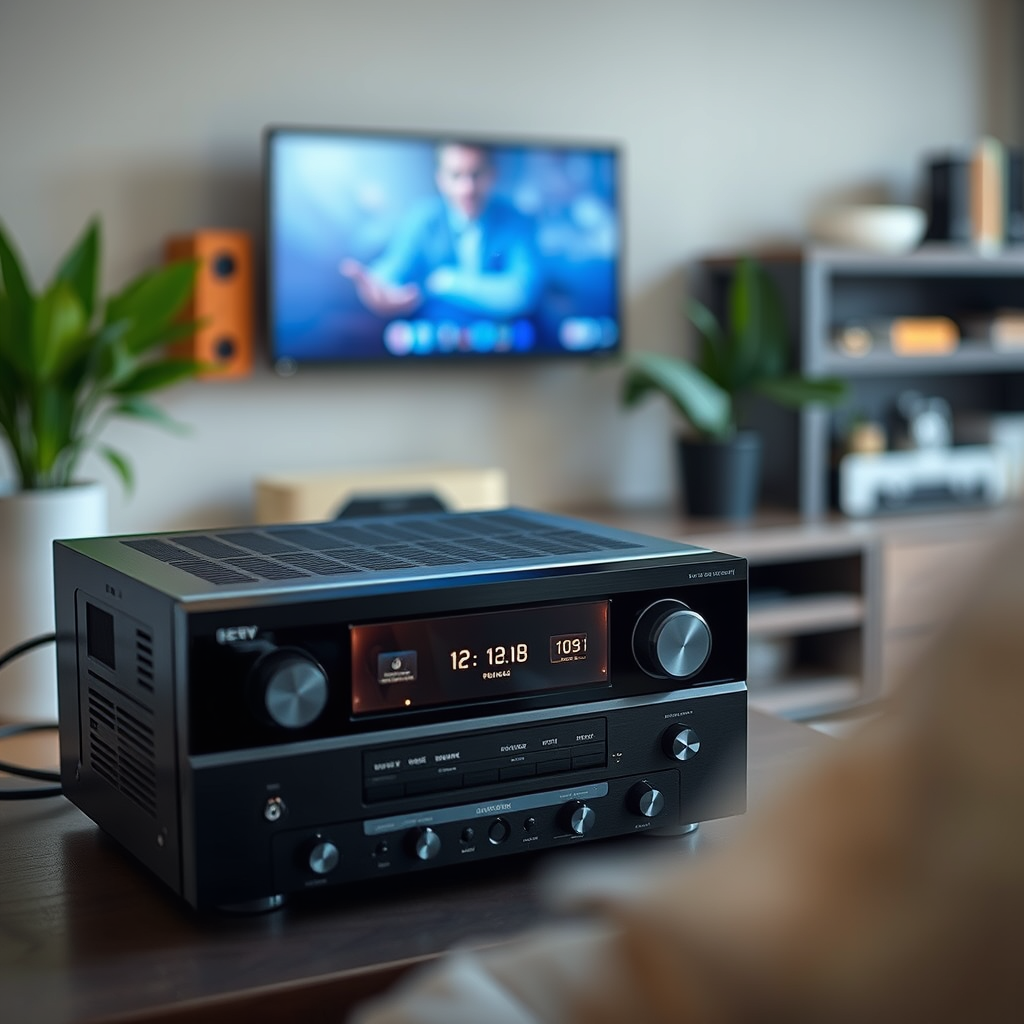
Overheating in AV receivers is primarily caused by inadequate ventilation and excessive load on the device. The internal components of AV receivers generate heat during operation, especially when they are driving high-power speakers or handling demanding audio/video signals.
Common symptoms that indicate overheating include unexpected shutdowns, distortion in audio output, and increased fan noise. If you notice any of these signs, it’s crucial to address the issue promptly to prevent potential damage to the receiver. Understanding the operational limits of your AV receiver and being attentive to its performance can help you mitigate overheating issues effectively.
Ensuring Proper Ventilation

One of the most critical aspects of preventing overheating is ensuring that your AV receiver is adequately ventilated. This involves providing sufficient space around the unit for air to circulate freely.
– Spacing: Maintain at least a few inches of clearance on all sides of your receiver. This helps dissipate heat effectively and allows the internal fans to operate efficiently.
– Placement: Avoid placing your receiver in enclosed spaces or stacking other components on top of it. Enclosures can trap heat, leading to higher internal temperatures and potential failure.
Investing in a dedicated AV rack or shelf designed for audio-video equipment can enhance airflow and improve the longevity of your components.
Checking Your Setup and Connections
Inspecting your AV receiver setup and connections can reveal potential issues contributing to overheating.
– Cables and Connections: Ensure that all cables are properly connected and not damaged. Loose connections can create resistance, leading to heat buildup.
– Signs of Damage: Look for frayed wires, burned connectors, or any signs of short circuits. Damaged cables can increase the load on your receiver, causing it to work harder and generate more heat.
Regularly checking your setup not only helps in preventing overheating but also ensures the overall performance of your audio-visual system.
Common Causes of Overheating in AV Receivers
| # | Cause | Impact Level | Solution |
|---|---|---|---|
| 1 | Poor Ventilation | High | Improve airflow |
| 2 | Overloading | High | Reduce speaker load |
| 3 | Damaged Cables | Medium | Inspect and replace |
| 4 | High Ambient Temperature | Medium | Cooler environment |
| 5 | Faulty Hardware | High | Consult technician |
| 6 | Blocked Vents | Medium | Clean regularly |
| 7 | Inadequate Power Supply | High | Upgrade power source |
Adjusting Settings for Optimal Performance
Adjusting the settings of your AV receiver can significantly impact its performance and heat generation.
– Volume Levels: Lowering the volume can decrease the load on the receiver, which is particularly useful during lengthy viewing or listening sessions.
– Speaker Settings: If your AV receiver allows you to adjust speaker configurations, consider optimizing these settings to ensure that the receiver is not overworked.
Additionally, many modern AV receivers come with energy-saving features or eco modes that limit power consumption and heat generation. Engaging these features can not only help reduce overheating but also improve energy efficiency.
Cleaning Your AV Receiver
Regular maintenance is essential to prevent overheating issues in your AV receiver. Dust and debris can accumulate in vents and on surfaces, obstructing airflow.
– Dusting: Use a soft, dry cloth to wipe down the exterior of your receiver regularly. Pay special attention to the vents, as blocked airflow can lead to increased internal temperatures.
– Internal Cleaning: If comfortable, use compressed air to blow out dust from inside the receiver. Ensure that the unit is powered off and unplugged before attempting internal cleaning to avoid any electrical hazards.
Establishing a cleaning routine can help maintain optimal performance and extend the lifespan of your AV receiver.
Heat Generation in AV Receivers
Using Additional Cooling Solutions
In some cases, additional cooling solutions may be necessary to manage overheating effectively.
– External Cooling Fans: Implementing external fans directed at the receiver can enhance airflow and reduce temperatures.
– Cooling Pads: Consider using dedicated cooling pads designed for AV equipment. These pads often incorporate fans and can significantly improve heat dissipation.
Additionally, investing in AV receiver stands with built-in cooling systems can provide a more organized and efficient cooling solution, ensuring that your receiver remains within safe operating temperatures.
When to Seek Professional Help
If you have followed the previous troubleshooting steps and your AV receiver continues to overheat, it may be time to consult a professional technician.
– Persistent Problems: If you notice consistent overheating despite implementing all recommended strategies, this could indicate underlying hardware issues.
– Signs of Internal Damage: Look for signs such as strange noises, burning smells, or components that are unusually hot to the touch. These may require immediate attention from a qualified technician.
Understanding when to seek professional assistance is crucial in protecting your investment and ensuring the continued performance of your AV receiver.
By following these steps, you can effectively troubleshoot and address overheating issues in your AV receiver, ensuring it operates efficiently and prolongs its lifespan. Regular maintenance and monitoring are key to preventing future problems. If issues persist after trying these solutions, consider reaching out to a professional for further assistance.
Frequently Asked Questions
What are common causes of overheating in AV receivers?
Overheating in AV receivers can be caused by several factors, including inadequate ventilation, excessive dust buildup, or being pushed beyond their power limits. Poor placement, such as being enclosed in a cabinet, can restrict airflow and lead to overheating. Additionally, using low-impedance speakers or running multiple high-demand devices can contribute to the problem.
How can I prevent my AV receiver from overheating?
To prevent overheating, ensure that your AV receiver is placed in a well-ventilated area with sufficient space around it for airflow. Regularly clean dust from vents and components, and avoid stacking other electronic devices on top of the receiver. Additionally, consider using a cooling fan or a dedicated AV rack to help maintain optimal temperatures.
Why does my AV receiver shut off when it gets hot?
Many AV receivers have built-in thermal protection circuits that automatically shut down the unit when temperatures exceed safe levels to prevent damage. This shutdown is a safety feature to protect the internal components from overheating. If your receiver frequently shuts off, it may indicate a ventilation issue or that it is being overworked beyond its capabilities.
What is the best way to troubleshoot overheating in my AV receiver?
The best way to troubleshoot overheating issues is to first check the receiver’s placement and ventilation, ensuring it is not enclosed or obstructed. Next, inspect the speaker connections for any short circuits and evaluate the load being placed on the receiver, ensuring it is within specifications. Lastly, consider running the receiver at lower volumes or for shorter periods to see if the overheating persists.
Which signs indicate that my AV receiver is overheating?
Signs that your AV receiver may be overheating include the unit shutting down unexpectedly, a noticeable increase in temperature on the chassis, or audio distortion during operation. You may also notice the fans running loudly or continuously, which indicates that the receiver is working hard to cool itself down. If you experience these symptoms, it’s essential to address the issue promptly to avoid permanent damage.
References
- Google Scholar Google Scholar
https://scholar.google.com/scholar?q=AV+receiver+overheating+issues - https://www.avsforum.com/threads/av-receiver-overheating-issues.3190997/
https://www.avsforum.com/threads/av-receiver-overheating-issues.3190997/ - Google Scholar Google Scholar
https://scholar.google.com/scholar?q=fixing+AV+receiver+overheating - https://www.crutchfield.com/S-vTqsrW0g9uM/learn/faq-av-receiver-overheating.html
https://www.crutchfield.com/S-vTqsrW0g9uM/learn/faq-av-receiver-overheating.html - https://www.audioholics.com/tips/troubleshooting-overheating-av-receivers
https://www.audioholics.com/tips/troubleshooting-overheating-av-receivers - https://www.sciencedirect.com/topics/engineering/overheating-in-electronics
https://www.sciencedirect.com/topics/engineering/overheating-in-electronics - Google Scholar Google Scholar
https://scholar.google.com/scholar?q=Troubleshooting+and+Fixing+Overheating+Issues+in+Your+AV+Receiver - Troubleshooting and Fixing Overheating Issues in Your AV Receiver – Search results
https://en.wikipedia.org/wiki/Special:Search?search=Troubleshooting+and+Fixing+Overheating+Issues+in+Your+AV+Receiver - https://www.ncbi.nlm.nih.gov/search/research-articles/?term=Troubleshooting+and+Fixing+Overheating+Issues+in+Your+AV+Receiver
https://www.ncbi.nlm.nih.gov/search/research-articles/?term=Troubleshooting+and+Fixing+Overheating+Issues+in+Your+AV+Receiver


