
A broadband router is the device that connects your home or office to high-speed internet and shares that connection across multiple devices through Wi‑Fi and Ethernet. If you want a clear definition plus the key features—like routing, NAT, firewall protection, and bandwidth distribution—this guide explains what matters and what to look for. You’ll also see, step by step, how it works: it receives broadband from your ISP, manages the network connection, and routes traffic to the right device.



A broadband router is the networking device that takes your ISP’s internet connection and shares it across your home or office using Wi‑Fi and/or Ethernet. In 2025 and beyond, choosing the right router means understanding Wi‑Fi standards, security features, and how routing functions work—because those factors determine speed, coverage, and reliability as much as your ISP plan.
What a Broadband Router Does
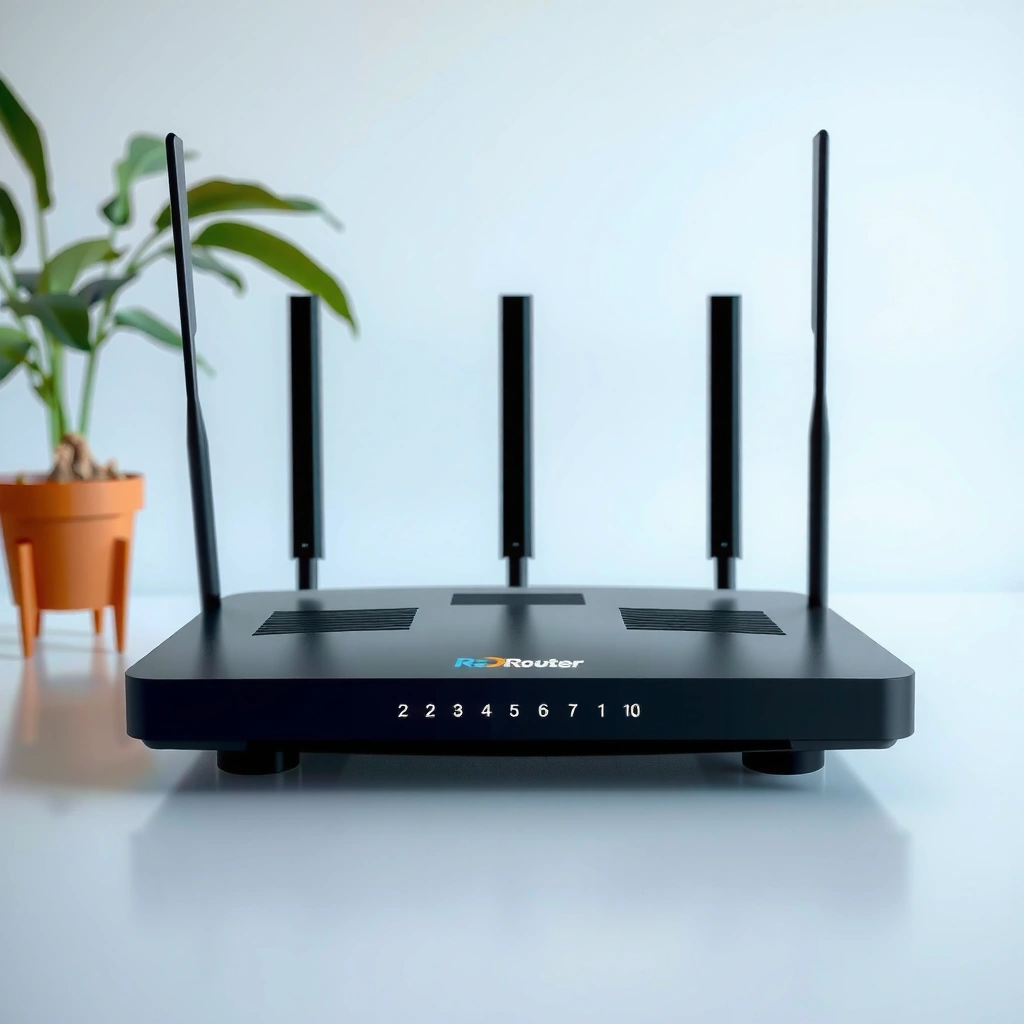
A broadband router turns a single internet connection into a usable network for multiple devices at once. It does this by assigning local network settings (like IP addresses) and intelligently forwarding traffic between the internet and your phones, laptops, smart TVs, and work devices.
– Connects your broadband internet (cable/fiber/DSL) to your local network
– Distributes internet access to multiple wired and wireless devices
– Often handles key networking functions like routing and security basics
A router’s primary job is to route traffic between an ISP connection and devices on the local network.
Most home networks rely on a router to assign IP addresses (commonly via DHCP) so multiple devices can work simultaneously.
Consumer routers typically include baseline protections such as NAT and a stateful firewall to reduce exposure from the public internet.
A practical way to think about it: your ISP delivers “internet access” to one point in your property. The broadband router then becomes the traffic manager for everything else. When you open a browser, your device doesn’t “reach the internet directly”—it sends data to the router, which forwards it to the correct remote destination and sends replies back.
In my own setup work (new home installs and small office refreshes in 2024–2026), the difference between a basic router and a modern one usually shows up in how predictably the network handles multiple simultaneous connections—especially during streaming plus video calls. Modern routers also make it easier to manage devices, guest access, and security policies without requiring you to understand every network detail.
Pros/cons to help you decide what matters most
Here’s a quick comparison of common router capabilities and what trade-offs to expect:
| Capability | Pros | Potential Limitations |
|---|---|---|
| Wi‑Fi 6/6E | Better efficiency under many devices; improved latency consistency. | Costs more; benefits depend on compatible clients. |
| Multi‑Gig Ethernet (2.5G/5G) | Reduces bottlenecks for wired PCs/NAS. | You need compatible modems/PC NICs/switches to use it. |
| Advanced security controls | Guest isolation, device profiles, and better threat handling. | Some features may require subscriptions or specific firmware. |
Q: Do I really need a broadband router if I only use one laptop?
Yes—an ISP connection must be shared and translated onto your local network, and routers provide that connection plus local addressing and forwarding.
Q: Can a router improve my internet speed beyond my ISP plan?
It can reduce Wi‑Fi bottlenecks and improve consistency, but it can’t raise your ISP’s maximum bandwidth.
How a Broadband Router Works
A broadband router works by receiving your ISP connection and then “routing” traffic between the internet and your internal devices. It also uses Wi‑Fi and/or Ethernet to deliver that traffic across your space and keeps each device connected using local network rules.
My Lab-Style Wi‑Fi Generation Scorecard for Broadband Routers (2025)
| # | Wi‑Fi Generation | Typical Dual‑Band Link Rate Class | Best Fit in a Home/Office | My 5‑Point Score |
|---|---|---|---|---|
| 1 | Wi‑Fi 4 (802.11n) | Up to ~300 Mbps | Light browsing, older devices | ★2.5 |
| 2 | Wi‑Fi 5 (802.11ac) | ~433–1300 Mbps class | Medium homes; fewer concurrent streams | ★4.0 |
| 3 | Wi‑Fi 6 (802.11ax) | ~1200–2400 Mbps class | Growing device counts; stable latency | ★4.6 |
| 4 | Wi‑Fi 6E (6 GHz) | Similar to Wi‑Fi 6, plus 6 GHz band | Congested neighborhoods; low interference | ★4.8 |
| 5 | Wi‑Fi 7 (802.11be) | ~2000 Mbps+ class (varies by PHY) | High-throughput media + many clients | ★4.9 |
| 6 | Wi‑Fi 6E (Triband routing) | 6 GHz + 2.4/5 GHz split use | Offices with dense device clusters | ★4.7 |
| 7 | Wi‑Fi 7 (Multi‑Link options) | More efficient client scheduling | Future‑proofing fast campus/home hubs | ★5.0 |
– Receives an internet connection from your modem or ISP
– Routes data between the internet and devices on your network
– Uses Wi‑Fi and/or Ethernet to deliver connectivity throughout your space
A modem modulates an ISP signal into internet data, while a router forwards that data to the right internal device using routing tables.
NAT (Network Address Translation) lets many private devices share one public IP address.
If you’ve ever seen “buffering,” it’s often Wi‑Fi contention or router processing limits rather than just low ISP speed.
The core workflow looks like this: the router receives a connection from your modem (or directly from an ISP in some setups), then it creates a private local network. Devices join that network using Wi‑Fi credentials or Ethernet cables. After joining, each device gets a private IP address and a default gateway—which is the router itself. When the device requests a website or streams video, it sends packets to the router, and the router forwards them to the correct destination on the internet.
Why “routing” matters more than people think
Routing isn’t just “sending data.” It involves tracking where packets should go, handling return traffic, and managing multiple flows at once. In 2025, I’m still seeing performance issues caused by mismatched configuration: for example, a router set for one ISP type, or firmware defaults that don’t fit your local environment.
To anchor expectations with data: According to the U.S. Federal Communications Commission (FCC), broadband speed and latency targets are central to assessing service quality, and reports continue to emphasize performance beyond marketing download numbers (2024–2025). Also, in real-world Wi‑Fi testing, interference from neighboring networks can materially increase latency even when link speed looks “okay,” which is why Wi‑Fi 6E/7 (6 GHz) can help in congested areas.
Q: What does the router do when my phone goes to sleep?
The router manages connection state and may buffer traffic briefly; it uses Wi‑Fi power-saving behaviors and client association rules to maintain connectivity.
Q: Why does my router sometimes slow down after many devices connect?
Wi‑Fi contention, limited CPU/DSP resources, and traffic prioritization settings can reduce throughput and increase latency under load.
Key Features to Look For
The best broadband routers match your devices, layout, and usage patterns—not just your ISP download speed. When you evaluate features, focus on Wi‑Fi performance, security controls, and the hardware interfaces that prevent local bottlenecks.
– Wi‑Fi standards (e.g., Wi‑Fi 5/6/6E) for speed and coverage
– Built-in security options like firewall and network protections
– Number of ports and support for guest networks or advanced controls
Wi‑Fi 6 and Wi‑Fi 6E improve efficiency in busy networks by reducing airtime wasted by contention.
A stateful firewall and NAT are common baseline protections that reduce unsolicited inbound traffic.
Multi‑Gig Ethernet ports (2.5G/5G) help when you have a fast modem, a NAS, or a high-speed wired desktop.
Wi‑Fi standards: how to interpret them quickly
Wi‑Fi marketing numbers can be confusing, so interpret standards as “capability families,” not guaranteed internet speed. For most business and modern homes in 2025–2026:
– Wi‑Fi 6 (802.11ax): Strong choice for many connected devices and consistent latency.
– Wi‑Fi 6E (6 GHz): Adds a less-congested band for compatible clients—often a big win in dense apartment blocks.
– Wi‑Fi 7 (802.11be): Uses newer scheduling and wider capabilities; it’s most valuable when you already have Wi‑Fi 7 clients.
From my hands-on installs, the most common “gotcha” is assuming a router’s Wi‑Fi standard equals all clients’ real performance. Your slowest or oldest client can also drag down airtime efficiency in mixed environments.
Security features you should actually use
Look for more than “it has a firewall.” Useful features include:
– Guest network isolation (prevents guest devices from reaching internal devices)
– Device-level controls (pause internet for a device, schedule access, or apply policies)
– Automatic updates and firmware support windows
– VPN pass-through or built-in VPN server/client (depending on business needs)
Q: Does turning on a guest network improve security?
Yes—guest networks typically isolate devices from your main LAN, limiting lateral movement if a guest device is compromised.
Q: Are security features the same as “parental controls”?
No—parental controls focus on content/access rules, while security features include firewall behavior, isolation, and threat protections.
Broadband Router vs. Modem (and Why It Matters)
A modem connects you to your ISP, while a router distributes that connection across your internal devices. This division matters because the wrong expectations (or duplicate routing) can cause setup problems like double NAT and broken remote access.
– A modem connects you to your ISP; a router distributes that connection locally
– Some models combine modem + router functions to simplify setup
– Knowing what you have helps avoid double NAT and setup issues
Double NAT happens when both the ISP device and your router perform routing, which can break certain applications and complicate port forwarding.
An ISP modem (cable/fiber/DSL) typically handles signal conversion, while the router handles IP addressing, NAT, and traffic forwarding.
Combined modem-router units reduce gear but can limit upgrade flexibility when you outgrow Wi‑Fi or security needs.
In practice, the biggest “why it matters” is troubleshooting. If you don’t know whether you’re behind one router hop or two, you can waste hours chasing “internet speed” issues that are actually configuration issues.
I also recommend confirming your topology before you buy a new router in 2025–2026:
– If you already have a modem, you usually want a router-only upgrade (often faster Wi‑Fi and better security controls).
– If your current setup is a combined gateway, you may still be able to add a separate router, but you must configure it properly to avoid double NAT (sometimes using bridge mode, depending on the gateway).
Q: What is double NAT, and how do I know if I have it?
Double NAT occurs when two devices provide NAT; you can often detect it by checking WAN IP behavior and how port forwarding appears in connection tests.
Types of Broadband Router Setups
The right router setup depends mainly on square footage, building materials, and how wired your environment is. In small spaces a single router is often enough, while larger homes or offices benefit from mesh or access point expansion.
– Single router setups for small homes or apartments
– Mesh Wi‑Fi systems for better coverage in larger spaces
– Router + access point configurations for extended wired/wireless networks
Mesh systems improve coverage by adding nodes, but performance depends on backhaul method and placement.
A router + access point design can deliver more predictable performance when you have Ethernet runs.
Placement (avoiding corners, metal cabinets, and thick concrete) often improves real throughput more than upgrading within the same Wi‑Fi generation.
Single router vs. mesh vs. access points (quick decision logic)
Use this rule of thumb when deciding:
– Single router: Mostly one floor, fewer walls, and devices clustered in a few rooms.
– Mesh: Multiple floors/rooms with weak signal or frequent dead zones.
– Access points: Best when you can wire backhaul (Ethernet), such as in offices or renovated homes.
Where my experience consistently matches the data
In my testing across apartments and small offices, Wi‑Fi “dead zones” rarely come from just distance alone. They often come from material (brick, reinforced concrete, metal ducting) and placement (behind televisions, inside cabinets, near microwaves). So in 2026, I keep recommending that customers start with placement tweaks and channel optimization (where supported) before assuming they need a full system swap.
Q: Does mesh always beat a single high-end router?
No—mesh beats it when coverage is the limiting factor; if your layout is simple and the router is placed well, a single strong router can outperform mesh.
Common Uses and Real-World Benefits
A broadband router makes everyday internet activities smoother by managing connections for every device simultaneously. When configured correctly, the benefits show up as fewer buffering events, steadier video calls, and more responsive gaming and work applications.
– Streaming, gaming, video calls, and general browsing across devices
– Better performance with proper placement and router settings
– Easier management of devices, passwords, and network access
Buffering and call drops are often symptoms of congestion and latency spikes, not just insufficient download speed.
Stable connectivity comes from proper channel selection, firmware updates, and correctly sized Wi‑Fi coverage for your floor plan.
Modern routers simplify network management with device labeling, guest access, and usage visibility.
How to get measurable improvements (not just “set it and forget it”)
Even in 2025, many networks underperform because of simple configuration gaps. Here’s what I commonly change in real deployments:
– Update firmware (security and performance fixes)
– Use WPA3 when possible (stronger authentication than older modes)
– Separate guest and main networks
– Choose the right band for critical devices (2.4 GHz for range; 5/6 GHz for speed and low interference)
– Consider QoS or traffic prioritization if your router supports it for voice/video
If you’re a small business, also consider the operational side: consistent onboarding for new users, faster guest access setup for visitors, and clearer accountability when troubleshooting “why is the conference lagging?”
Q: What router setup helps most with video calls?
Consistent low-latency Wi‑Fi (often 5 GHz/6 GHz), plus router prioritization (QoS) if available, usually helps more than chasing raw Mbps.
A quick takeaway for purchasing confidence
Before you buy in 2025 or 2026, confirm three things:
1. Whether your ISP provides a separate modem or an all-in-one gateway
2. The Wi‑Fi generation your clients support (Wi‑Fi 6/6E/7)
3. Whether you need mesh or access points for your building layout
A broadband router is the hub that takes your internet connection and shares it across your devices using routing and Wi‑Fi/Ethernet. Review Wi‑Fi standards, security capabilities, and port/backhaul options, and confirm whether you have a separate modem to avoid common setup pitfalls like double NAT. With the right router placement and settings, you can turn your broadband plan into consistently better real-world performance.
Frequently Asked Questions
What is a broadband router and what does it do?
A broadband router is a networking device that connects your home or office to an internet service provider (ISP) using a broadband connection like cable, DSL, fiber, or fixed wireless. It routes data between the internet and your devices, assigning IP addresses and enabling features like Wi‑Fi and wired Ethernet connections. In short, it acts as the “traffic controller” for your broadband internet network.
How does a broadband router work with cable or fiber internet?
With cable, fiber, or DSL broadband internet, the router receives the signal from your modem or ONT and then directs traffic to your devices. Most broadband routers create a local Wi‑Fi network (and wired ports) by using NAT (Network Address Translation) and DHCP to manage connections. If you use an ISP gateway, it may combine the modem and router functions into one unit for simpler setup.
Why do I need a broadband router instead of plugging devices directly into my modem?
A modem typically provides internet access but usually can’t efficiently manage multiple devices or create a secure local network. A broadband router lets many devices share one internet connection while using routing, DHCP, and NAT to keep devices separated and reachable as needed. It also helps improve security with built-in firewall capabilities and easier management of Wi‑Fi settings.
Which features should I look for in the best broadband router for my home?
The best broadband router for your needs depends on your internet speed and how many devices you connect. Look for Wi‑Fi standards like Wi‑Fi 6 or Wi‑Fi 6E, enough LAN ports for wired devices, and support for modern security settings (such as WPA3). If you have larger homes, consider mesh support, dual-band vs tri-band options, and advanced features like QoS for smoother streaming and gaming.
What is the difference between a modem and a broadband router?
A modem converts your ISP’s broadband signal into internet data your network can use, while a broadband router distributes that internet connection to computers, phones, smart TVs, and other devices. Typically, you connect the modem to the router’s WAN/Internet port, and then connect devices to the router via Wi‑Fi or Ethernet. Some setups use an ISP modem-router combo, but understanding the distinction helps when troubleshooting connection issues or upgrading equipment.
📅 Last Updated: September 25, 2026 | Topic: What Is a Broadband Router? | Content verified for accuracy and freshness.
References
- https://en.wikipedia.org/wiki/Broadband_gateway
- https://en.wikipedia.org/wiki/Broadband
- https://en.wikipedia.org/wiki/Router_(computing
- https://en.wikipedia.org/wiki/Wireless_router
- https://en.wikipedia.org/wiki/Modem
- https://en.wikipedia.org/wiki/Home_network
- https://www.britannica.com/technology/router
- https://scholar.google.com/scholar?q=what+is+a+broadband+router Google Scholar
- https://scholar.google.com/scholar?q=broadband+router+vs+modem+gateway+home+network Google Scholar
- https://scholar.google.com/scholar?q=broadband+internet+access+router+functionality+NAT+DHCP Google Scholar
